Ask is in beta, and it isn't turned on for every account yet. If you'd like to try it, open a support request and ask for it: click the ? in the top menu, pick General Question, and say “Please turn on Ask for my account.” Get Help and Request Features shows how. Until it's on, you won't see the Ask button anywhere in the app.
Some questions take five clicks to answer: how much 9mm is actually in the safe, which guns are due for cleaning, when a pistol last choked. Ask answers them from your own records in one line, and it can log the cleaning or range trip you just told it about. Everything in this guide is from a real account, asking about a Canik TP9SFx that's overdue for cleaning.
1. Open Ask
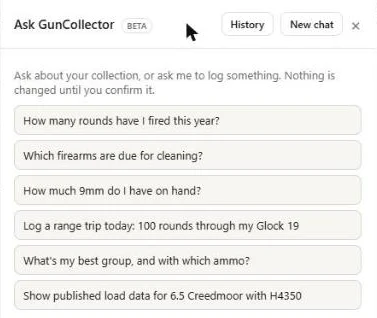
On the web, click Ask in the top menu, or press Ctrl+K (⌘K on a Mac) from any page. A panel called Ask GunCollector opens on the right, with suggested questions to start from.
Open it from a firearm's page and Ask knows which gun you mean: an Asking about chip sits above the message box. Click the × on the chip to ask about something else.
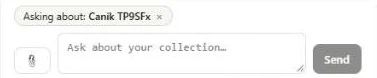
History brings back earlier conversations, and New chat starts fresh. The paperclip attaches up to four photos, PDFs or CSV files: a photo of a gun to identify, a serial number plate, a chronograph export or a Form 1.
2. Ask about your collection
Type a question the way you'd say it. Ask reads your own records to answer, and the totals come from the app's own arithmetic, not a guess. With the Canik chip set, “When was this gun last cleaned, and what malfunctions has it had?” got this:
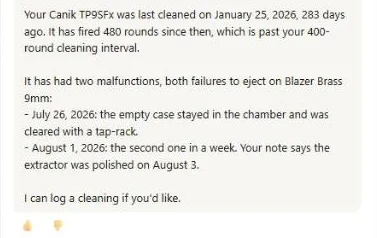
Answers can link straight to the records they mention. The thumbs up and down under each answer tell us whether it helped. A few things that work well:
- “How many rounds have I fired this year?”
- “Which firearms are due for cleaning?”
- “What's my best group, and with which ammo?”
- “What's the barrel length on my Tikka?” If it isn't in your records, Ask can look up specs on the manufacturer's own site.
3. Log something by telling it
Tell Ask what happened and it drafts the record, then shows you a card with exactly what it will save. Here, “Yes, log a cleaning today. Note: full field strip, new recoil spring checked.” produced this card:
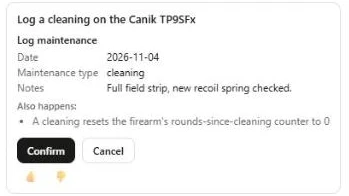
- Read the card, then click Confirm. The card lists every field it will save, and Also happens spells out side effects, like the round counter resetting after a cleaning.
- Edit in form (on cards that offer it) opens the normal form with everything filled in, so you can change a field before saving.
- Cancel throws the draft away. A card left alone expires after 15 minutes.
- Deletes stand out. A card that deletes something has a red Confirm delete button instead.
The same works for range trips (“Log a range trip today: 100 rounds through my Glock 19”), ammo, accessories and the rest of your collection.
4. Ask on your phone
In the app, Ask is under More → Assistant → Ask GunCollector. It needs a connection.
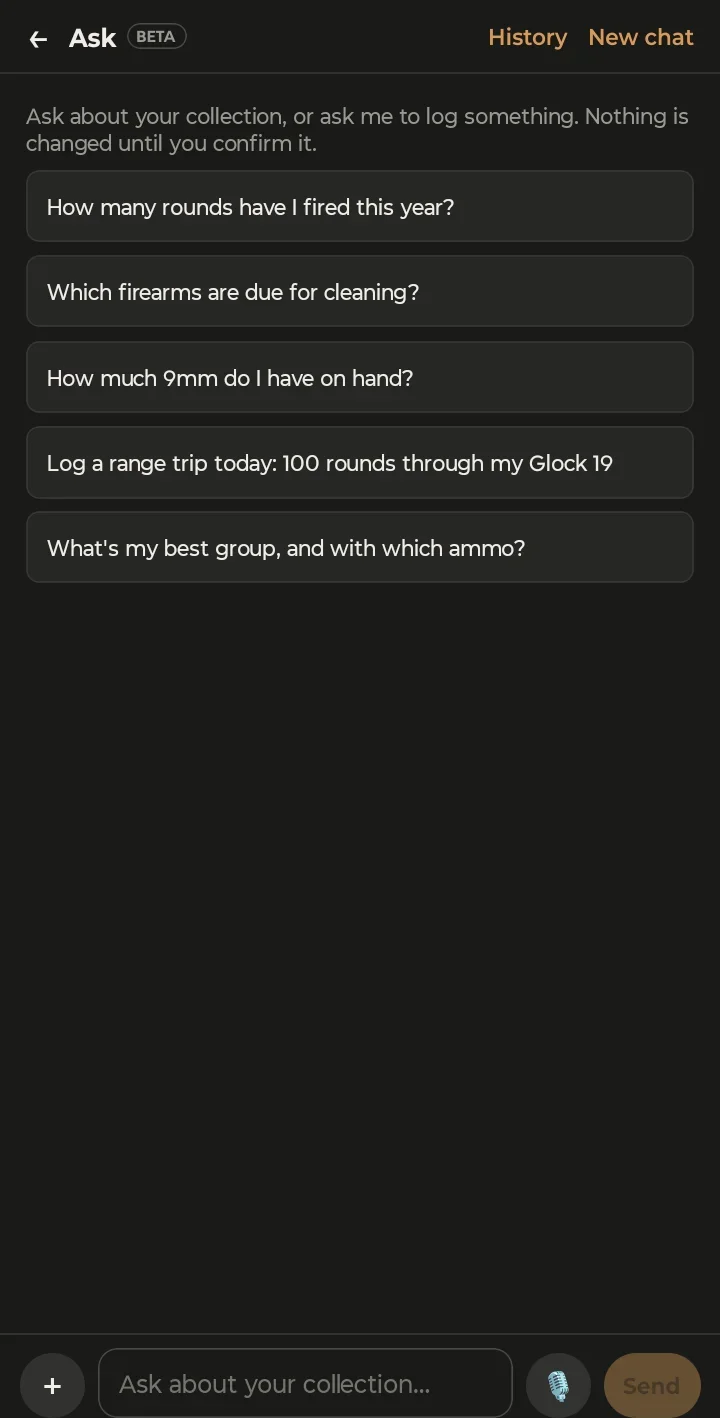
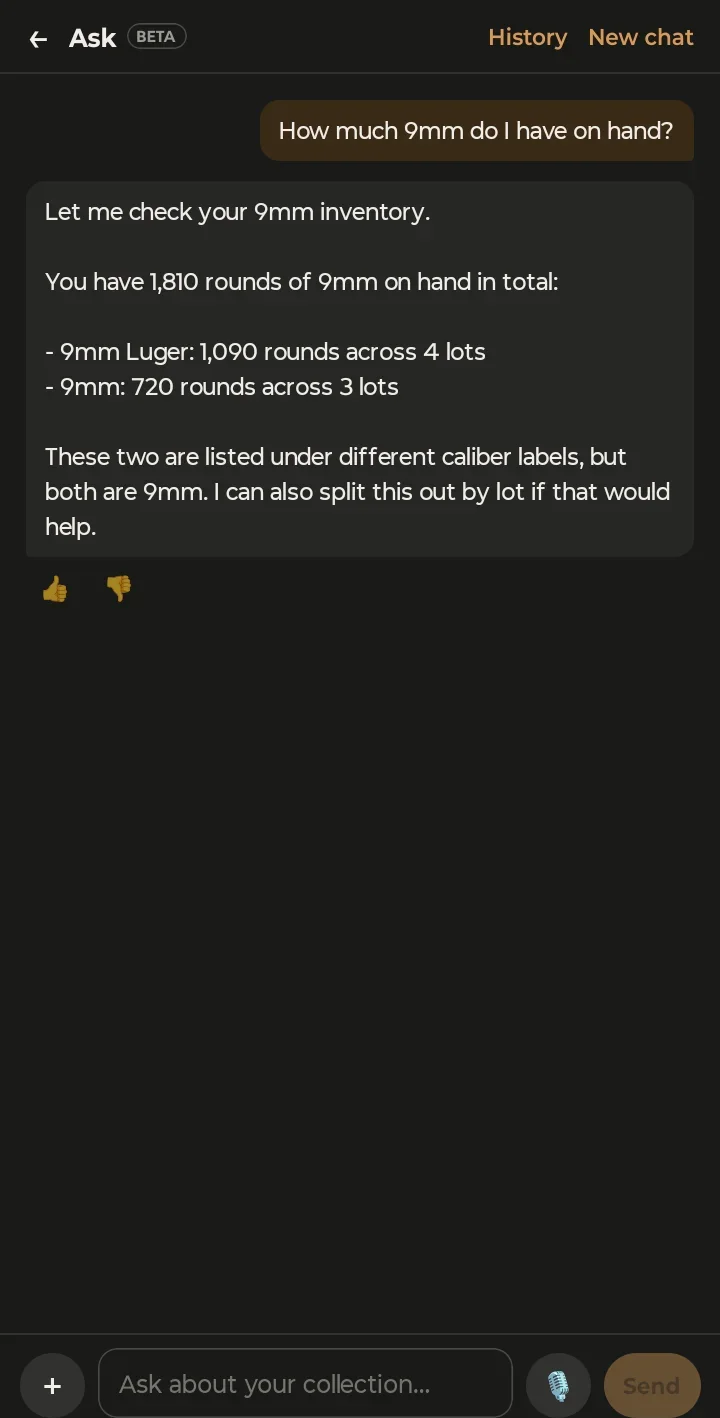
- Talk instead of typing. Hold the microphone button and speak. Your speech is typed into the message box, and nothing is sent until you press Send.
- Attach from the phone. The + button offers Take photo, Choose photo or Choose file.
Phone screenshots are from the Android app. The iPhone app has the same screens.
5. What Ask won't do
- It never makes up a powder charge. Ask won't suggest, estimate or calculate a charge weight. Ask for published load data and it shows the publisher's own figures as a quote card, with a reminder to check the current source and start at the listed start charge.
- It doesn't give legal answers. For whether something is legal where you live, it points you to the ATF or your state.
- It doesn't look up prices or reviews. For what your guns are worth, use the valuation report.
Each plan includes a monthly allowance of messages. The count under the message box shows how many you've used and when it resets. Conversations may be reviewed by GunCollector to improve the assistant; you can turn that off under Settings → Privacy with Help improve GunCollector's AI.
It's a beta, so tell us when it gets something wrong. Click the thumbs down on the answer, or open a support request. Get Help and Request Features shows both.