Every support request in GunCollector is a ticket with a number, a status and a conversation. You don't have to dig through email to find what we said last week, and when you ask for a feature, other collectors can vote for it too. Everything in this guide is from a real account.
1. Open Help & Support
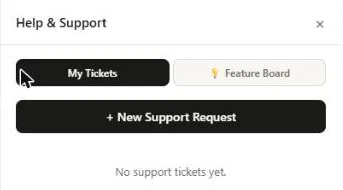
On the web, click the ? in the top menu. The Help & Support panel opens on the right, with two tabs: My Tickets for your own requests, and Feature Board for what everyone has asked for.
2. Open a request
Click + New Support Request and pick what it's about. Each type asks for what we need to sort it out quickly, so you don't get a round of “can you send a screenshot?”
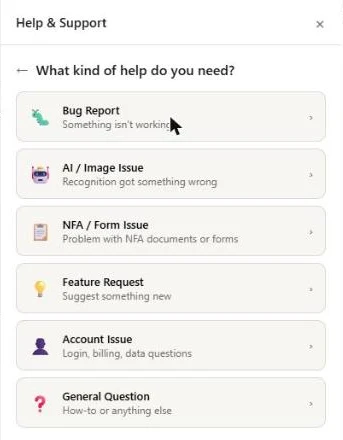
- Bug Report: what went wrong, the Steps to reproduce, and whether it happens every time.
- AI / Image Issue: what kind of scan it was, what the AI returned, what it should have returned, and the original photo. From collection picks a photo you've already uploaded.
- NFA / Form Issue: the type of issue and the documents involved (Form 1 or Form 4, tax stamp).
- Feature Request: see below.
- Account Issue and General Question: a title and a description. This is also how you ask to join a beta, such as Ask.
Bug, AI and general requests take screenshots and other files under Screenshots / attachments (optional): images, PDFs or a short screen recording.
A feature request asks one question that matters more than the rest: What problem does this solve? Describe the pain point, not just your solution. There's often a simpler fix for the same problem, and knowing the problem is how we find it.
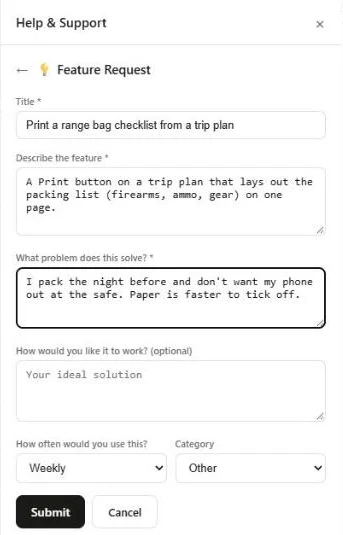
Add how often you'd use it and a category, then click Submit. You'll get a ticket number, and the reply comes back here and by email.
3. Follow the replies
Click a ticket in My Tickets to open the conversation. Its status tells you where it stands: Open, In Progress, Waiting on You (we need something from you), Resolved or Closed. Feature requests can also be Planned, Shipped or Not Planned, and a bug we already know about is marked Known Issue.
- Reply in the app. Type in Reply to this ticket… and click Send Reply. When we reply, you also get an email with the ticket number in the subject.
- Sorted it out yourself? Click Mark Resolved. If the problem comes back, reply to the same ticket.
- Closed tickets are read-only. Open a new request if you need more help.
Only you can see your tickets.
4. Vote on the Feature Board
The Feature Board tab shows feature requests from all collectors, once we've reviewed them. Sort by Top (most votes), New or Status. Click the ▲ on a request to vote for it, and click again to take your vote back. You get one vote per request, and requests show no names.
Votes are how we decide what to build next. When a request you voted for is planned, started, shipped or turned down, you get an email, and a note from the team may explain the decision. Don't see what you need? Click + Submit a feature request.
5. On your phone
In the app, tap the ? on the Dashboard, or go to More → Help & support. It has the same tabs, the same request types and the same conversations, so you can start on one and reply on the other.
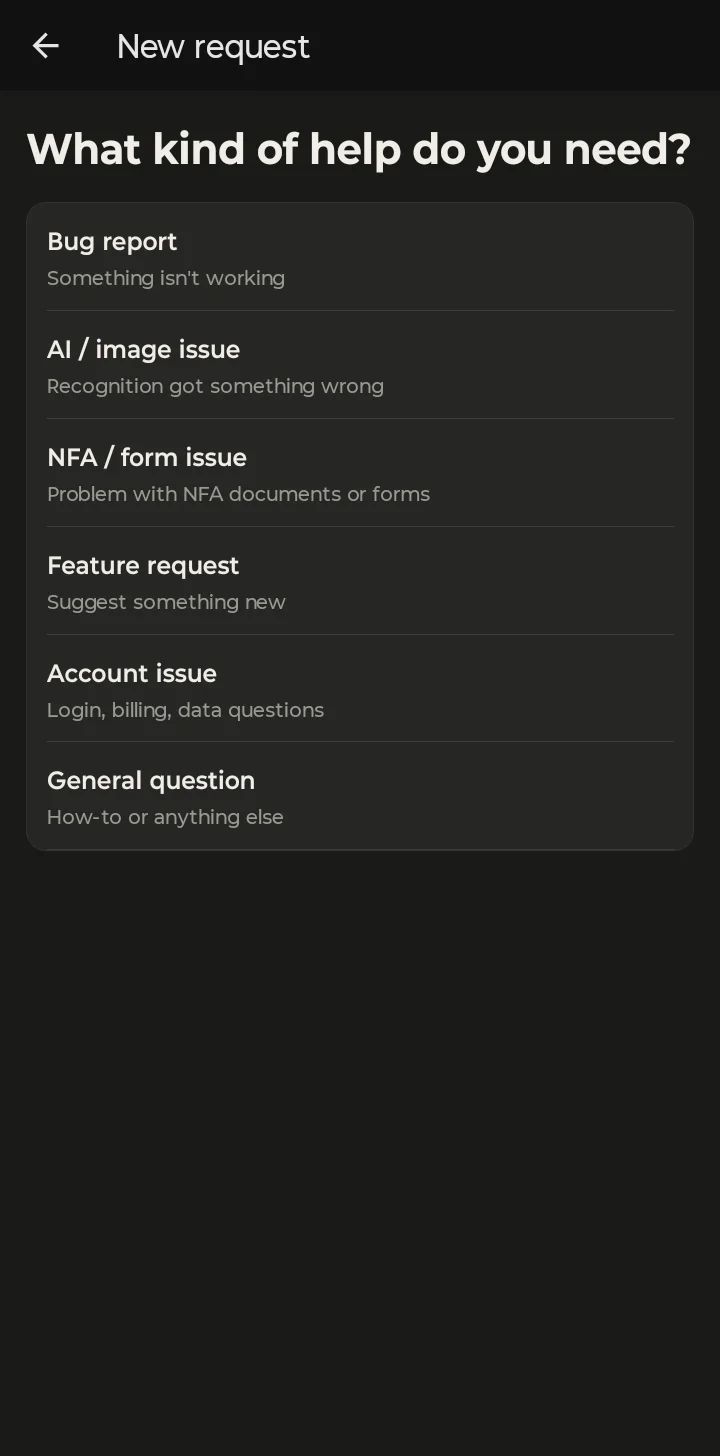
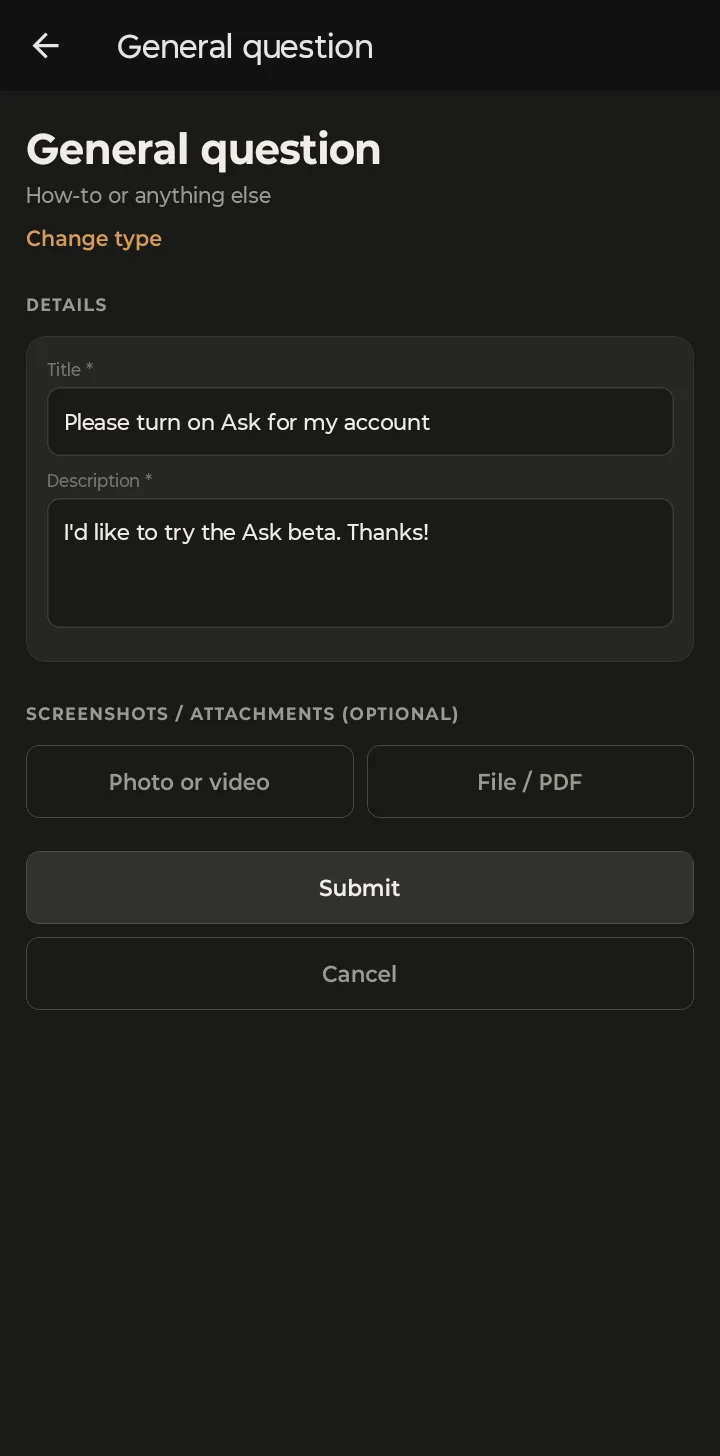
On the phone, Photo or video attaches straight from your camera roll, and File / PDF from your files.
Phone screenshots are from the Android app. The iPhone app has the same screens and the same steps.
Rather use email? Write to support@guncollector.app. Requests from inside the app are faster to sort out, because they come with the details we need.