1. Start from “Add Item”
From your Dashboard, click + Add Item. You'll get a choice: take or upload a photo, or enter everything manually. For this walkthrough we're using the photo route.
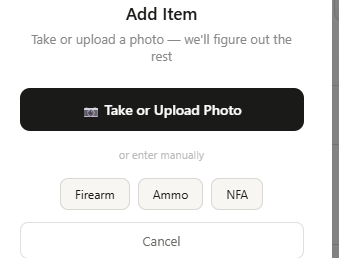
Tap Take or Upload Photo and select an image of your firearm — a clear side profile works best, close enough that any roll marks or slide text are legible.
2. Let the AI do the reading
Once you select a photo, GunCollector identifies the item type, then works out exactly which firearm you're holding. You'll see a short progress indicator while it works — usually just a few seconds.
Behind the scenes, it's reading everything visible in the frame: manufacturer markings, model text, caliber stamps, finish, optics-ready cuts, even an optic if one's mounted.
3. Review the pre-filled record
When it's done, you land on the Add firearm form — already filled in. In our test run, a single photo of a Canik TP9SFx came back with a 97% confidence match:
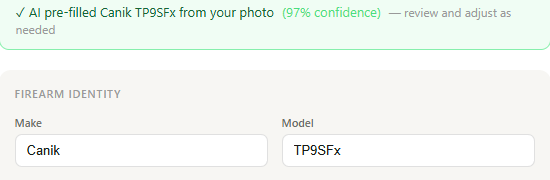
- Make / Model: Canik / TP9SFx
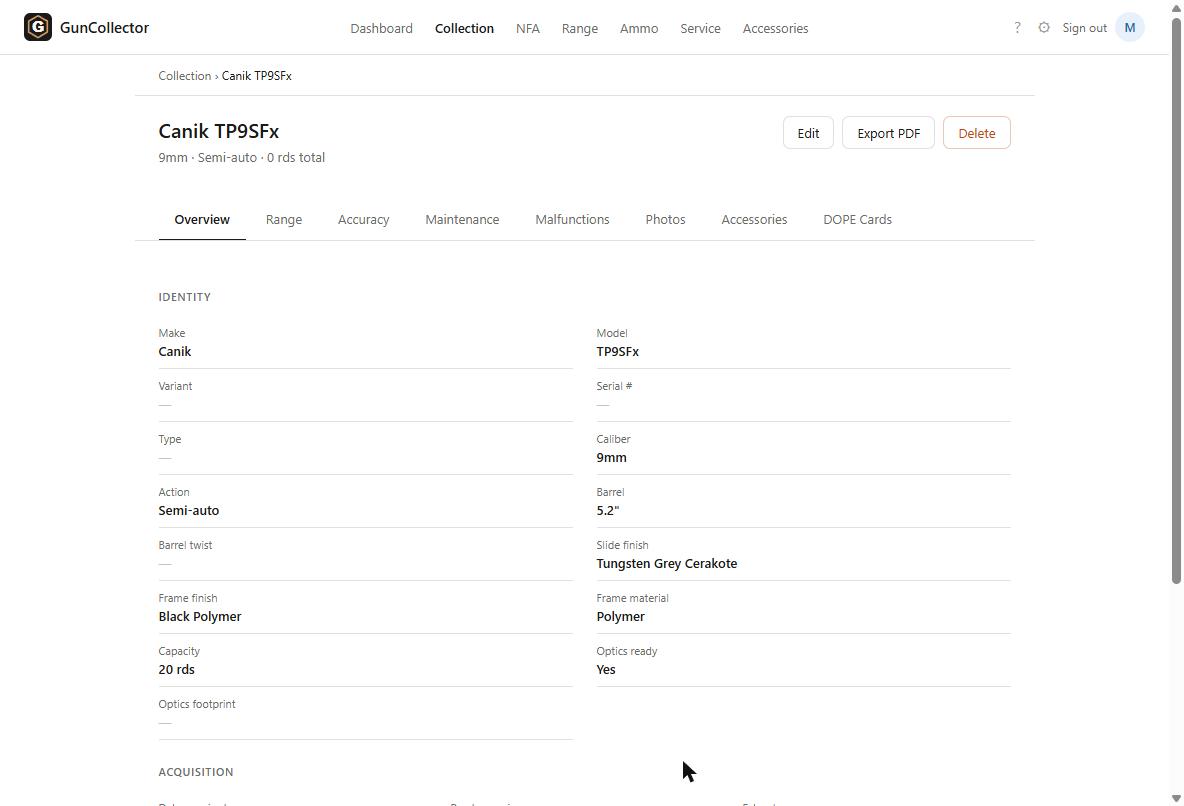
- Caliber: 9mm
- Action type: Semi-auto
- Barrel length: 5.2"
- Slide finish: Tungsten Grey Cerakote
- Frame finish / material: Black Polymer / Polymer
- Capacity: 20 rds
- Optics ready: Yes
If the AI misreads something, or you know a detail it couldn't see — like your actual serial number, since GunCollector never assumes that from a photo — just correct it before continuing.
This is also where GunCollector estimates a current market value from what it identified, so your collection's value stays reasonably current from day one.
4. Save it
Scroll down, fill in anything optional you want tracked (purchase price, date acquired, cleaning interval), and click Add to collection. You're taken straight to the firearm's detail page:
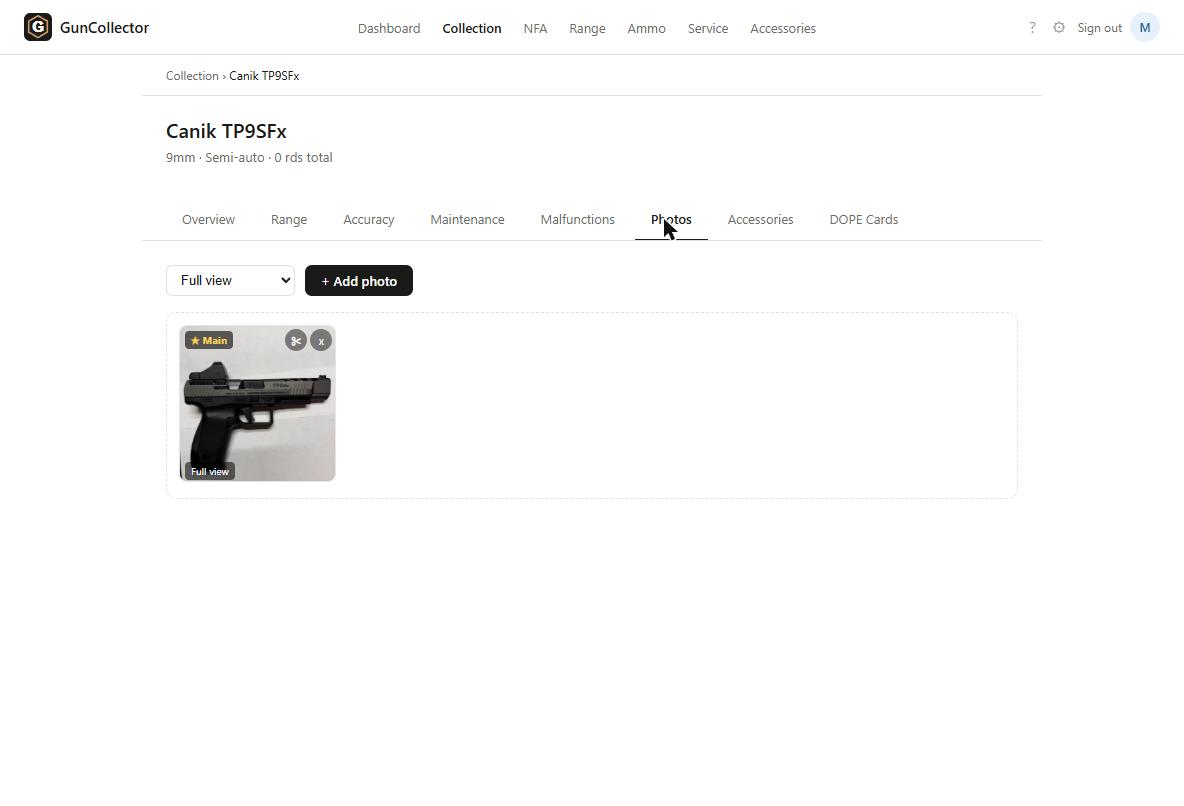
The photo you uploaded is automatically attached and set as the item's main image:
From here, the firearm has its own Range, Accuracy, Maintenance, Malfunctions, Accessories, and DOPE Cards tabs — everything you log going forward rolls up against this one record.
Why this matters for a real collection
If you're inventorying more than a handful of firearms — for insurance, for an estate plan, or just because you've lost track of what you actually own — retyping every spec by hand is the reason most people never finish. The photo-first flow turns a 5-minute form into a 20-second upload and a quick review pass.