Screenshots are from the Android app. The iPhone app has the same screens and the same steps. Adding an accessory works offline; mounting, moving and linking need a connection.
Scopes move between rifles, and the zero you wrote on a strip of tape doesn't move with them. Magazines pile up in cans and range bags until nobody knows how many there are or what they fit. The GunCollector app keeps your optics, mags, lights and parts with the guns they belong to. Everything in this guide is from a real account: a Schmidt & Bender PM II on a Tikka T3x TAC A1, ten Magpul PMAGs for a Daniel Defense DDM4 V7, and a few bipods, lights and parts.
1. Open your accessories
Tap More, then Accessories. Each row shows the item, the gun it's on and its type. Magazines show how many you own, like ×10. Use the search box at the top to find one.
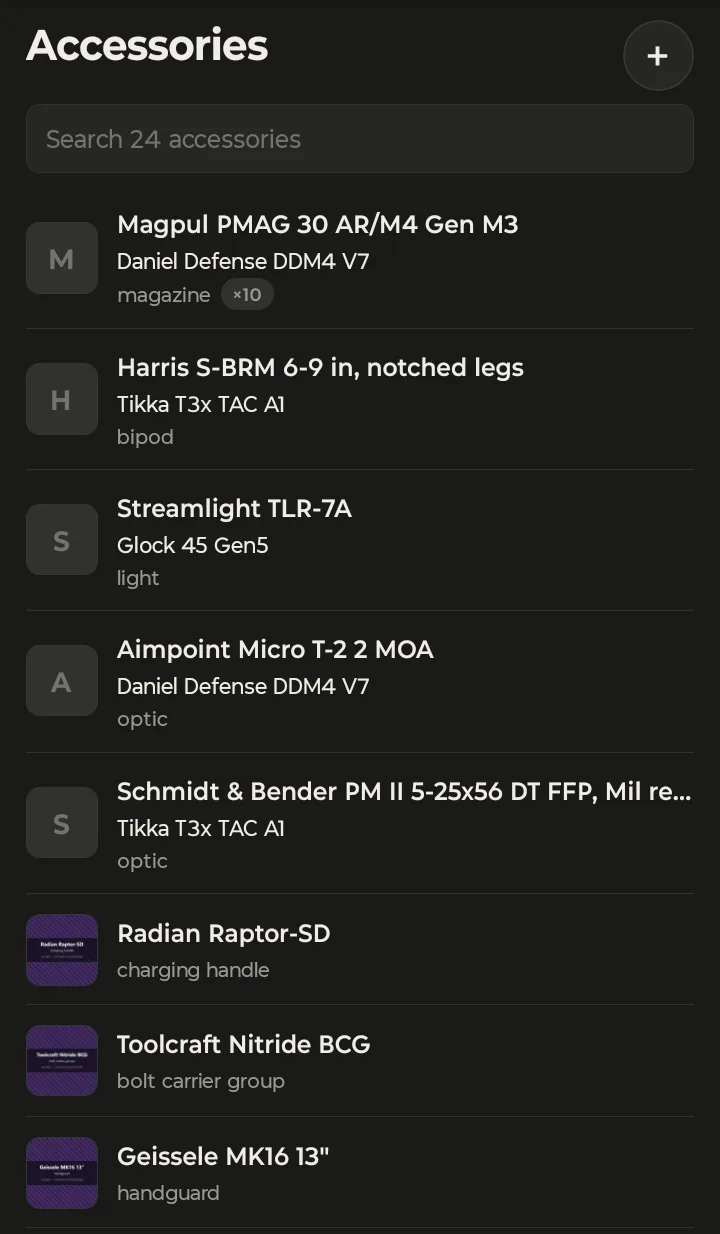
Accessories attach in one of three ways, set by the type:
- Mounted on one gun at a time and easy to move: optics, bipods, foregrips, suppressors, lights, lasers, muzzle devices, holsters and slings.
- Installed as part of the gun: stocks, handguards, grips, triggers, barrels, bolt carrier groups, buffers, charging handles, safeties and mag releases.
- Works with several guns, as one entry with a quantity: magazines and cleaning kits.
You don't have to think about which is which. Pick the type when you add the item, and its page shows the right buttons. The phone list has no category tabs; the type under each name tells you what it is, and the search box finds the rest.
2. Add an accessory
Tap +. You can photograph the accessory and let the app fill in the form, or skip the photo.
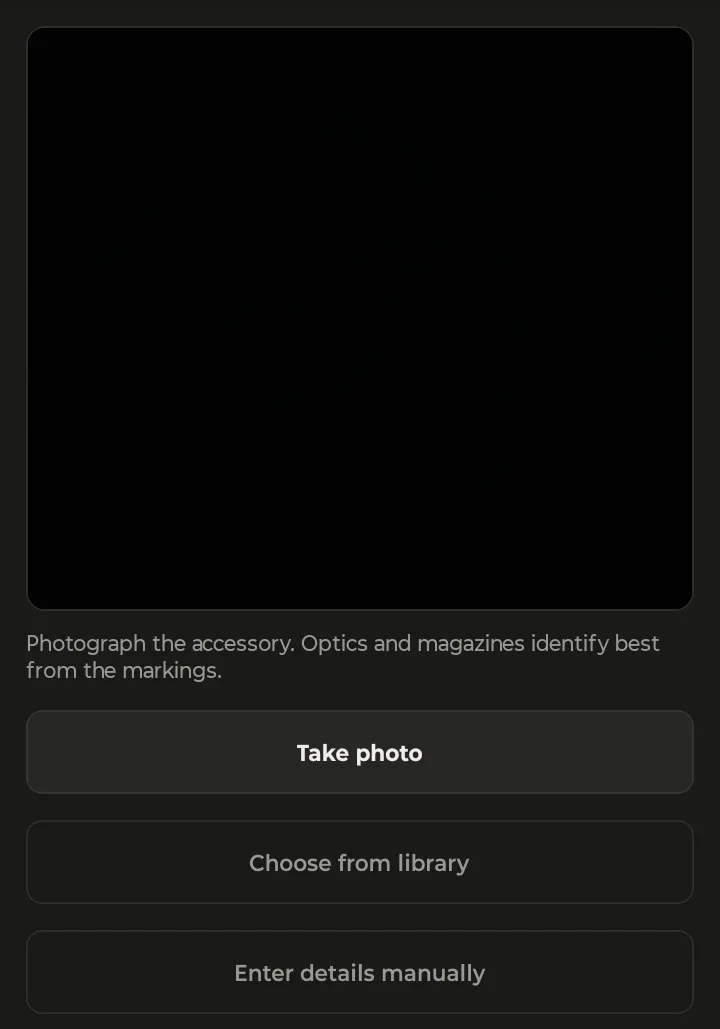
Tap Take photo or Choose from library, or Enter details manually. As the screen says, optics and magazines identify best from the markings: get the model and magnification on the tube, or the maker's name on the mag, in the shot. Pick the Type, check every field the photo filled in, and tap Save accessory.
Treat what the photo fills in as a first draft. A scope shot from the side with no readable markings gets a guess from its shape and finish, and the make and model can be wrong. A clear shot of the writing on the tube or the mag body does much better.
For an optic, fill in the turret click value while you're there. For a magazine, set the capacity and how many you own. The saved page groups the details under Identification, Optic or Magazine, and Ownership, with the estimated value and the price you paid at the top, so a $3,000 scope counts toward what your collection is worth. Adding works with no signal, so you can do it in the gun room or the truck.
3. Mount, move and record the zero
Open the accessory. A mounted item shows an On badge with the gun, its estimated value and what you paid, then Mounted on with the date it went on.
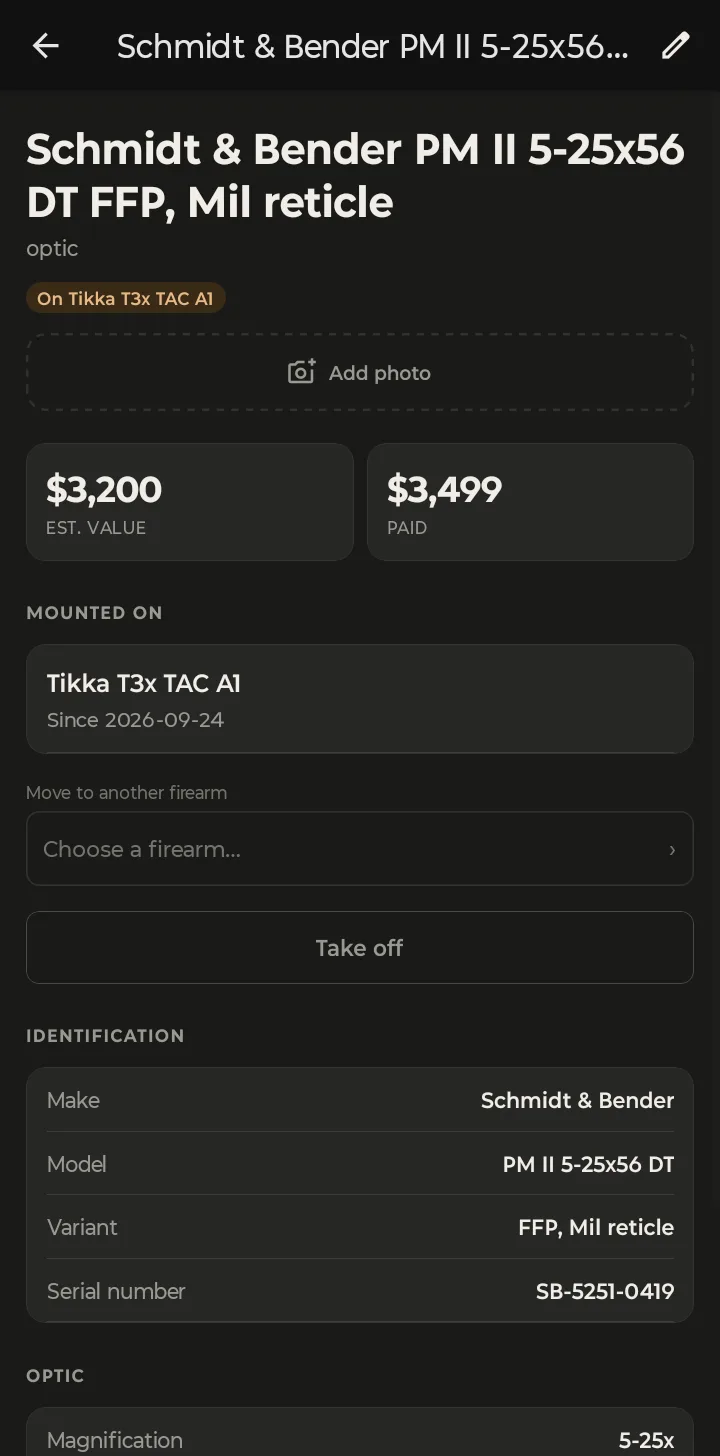
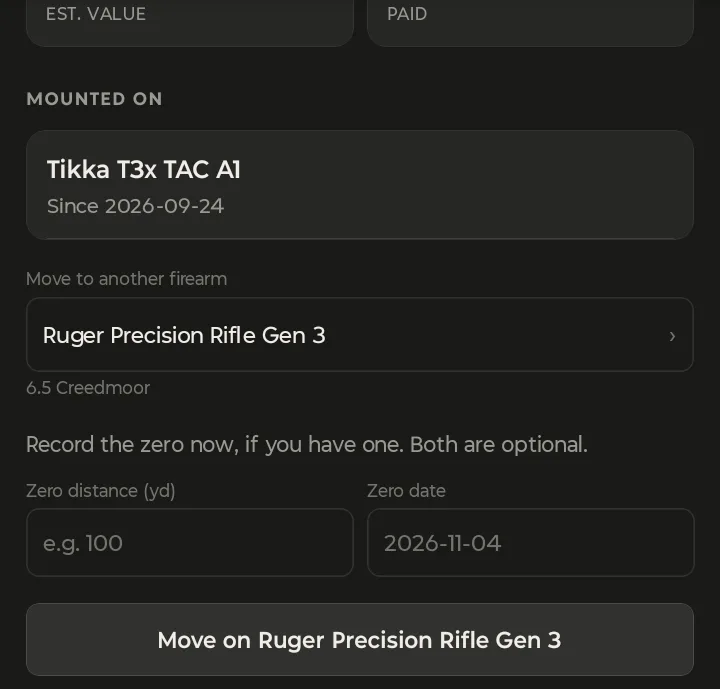
To put an item in storage on a gun, tap Mount on a firearm and pick the gun from Choose a firearm…. To move it, use Move to another firearm the same way: it comes off the old gun and goes on the new one in one step.
For an optic, the app then asks you to Record the zero now, if you have one. Both are optional. Enter the Zero distance (yd) and the Zero date, and tap the button, here Move on Ruger Precision Rifle Gen 3. A zero belongs to one scope on one rifle, so recording it at the moment you move the scope is the easiest way to keep it straight. If you haven't shot it yet, leave them blank and come back. To record a new zero later, mount or move it again.
Once a zero is on file, the mount line reads Since the date, then zeroed at the distance and date. That's what your trip plans check: if a scope has no zero on record, or was mounted after its last zero, planning a range trip warns you before you leave.
No click value, no clicks. If an optic has no turret click value on file, its page says so: No turret click value on file, so DOPE for this optic can only be shown in MOA or mils — not in clicks. Add it with Edit, under Optic. Tap the pencil, enter it under Optic (0.1 MRAD for this S&B), and your DOPE can show dial-ups in clicks.
4. Take it off, or install a part
Tap Take off to put a mounted item back in storage. It goes back to storage and its history is kept: every gun it's been on is listed under Previously on.
Parts use different words because they're part of the gun. A charging handle, trigger or handguard has Install, Uninstall and Move. A part can only be installed on one gun at a time, so if it's already on one, uninstall it or move it rather than installing it again.
5. Link magazines to the guns they fit
A magazine entry is a stack of identical mags. The page shows the capacity and how many you own, and Works with lists the guns they fit.
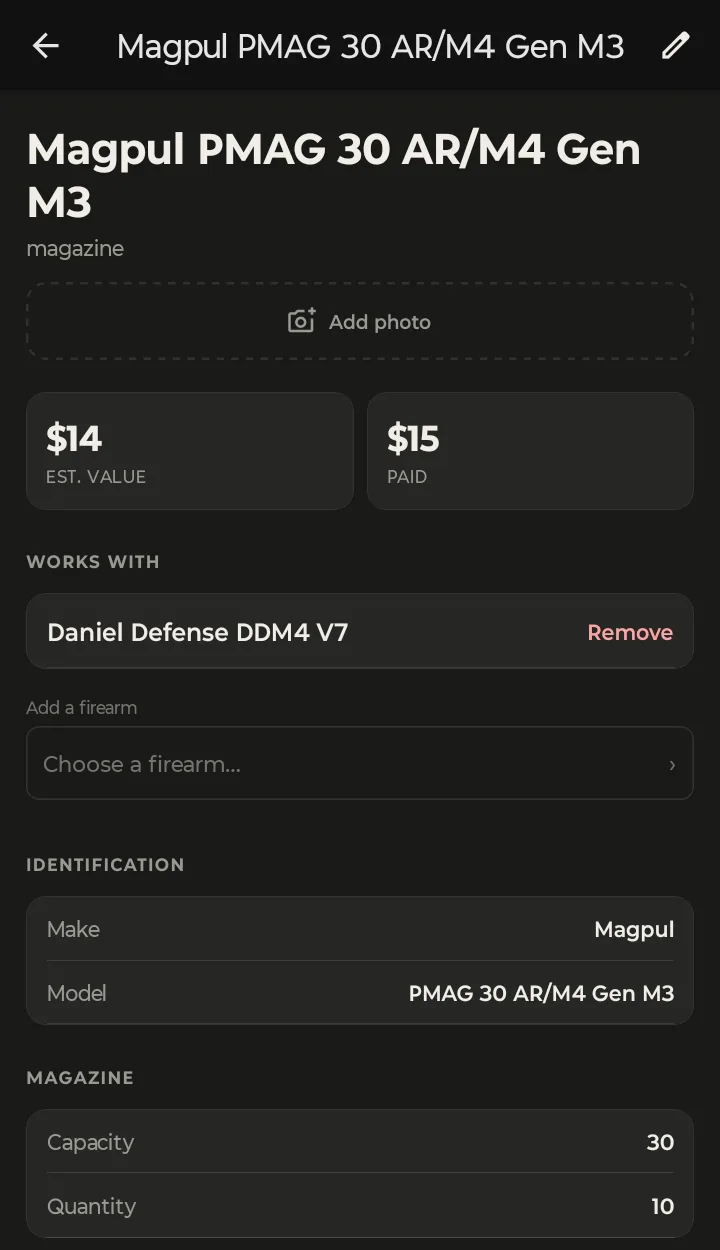
Under Add a firearm, choose each gun the mags fit. One set of PMAGs can work with every AR you own: link the DDM4, then the next AR, and the same ten mags show under both. Remove unlinks one. When you buy more, tap the pencil and change the quantity. Link them: a trip plan adds a gun's linked magazines to the pack list with how many you own, and warns you when a gun has none linked.
At your desk? Your accessories are in the web app too, with category tabs and each firearm's Accessories tab. Track Optics, Magazines and Accessories on the Web walks through it on a bigger screen.