Screenshots are from the Android app. The iPhone app has the same screens and the same steps.
Showing up at the range without the right ammo is a lost afternoon. So is getting there and realizing the scope you just mounted never got a zero, or the DOPE card is on the kitchen table. Trip planning puts all of that on one screen before you leave. Everything in this guide was done on a real account: a Glock 45 and a Tikka T3x for an afternoon of pistol drills and precision rifle practice.
1. Plan the trip
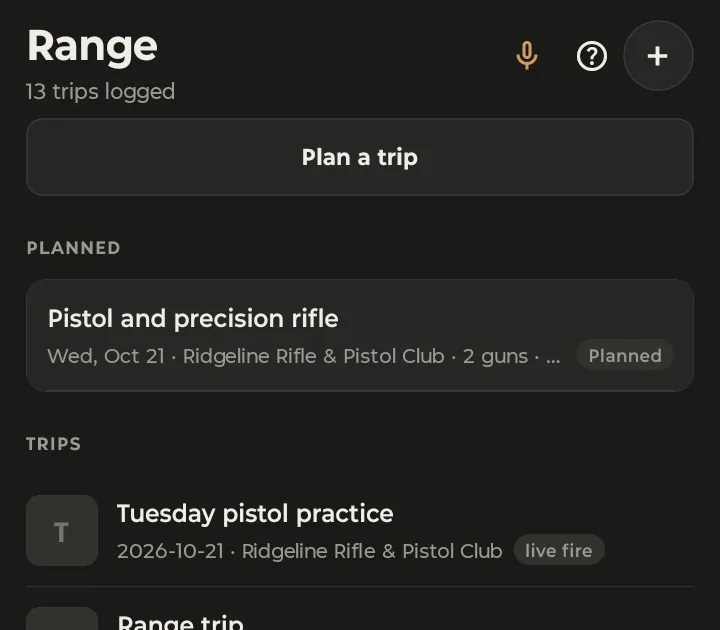
On the Range tab, tap Plan a trip. Set the date, give it a title if you like, pick the range from your recent places, and choose the session type:
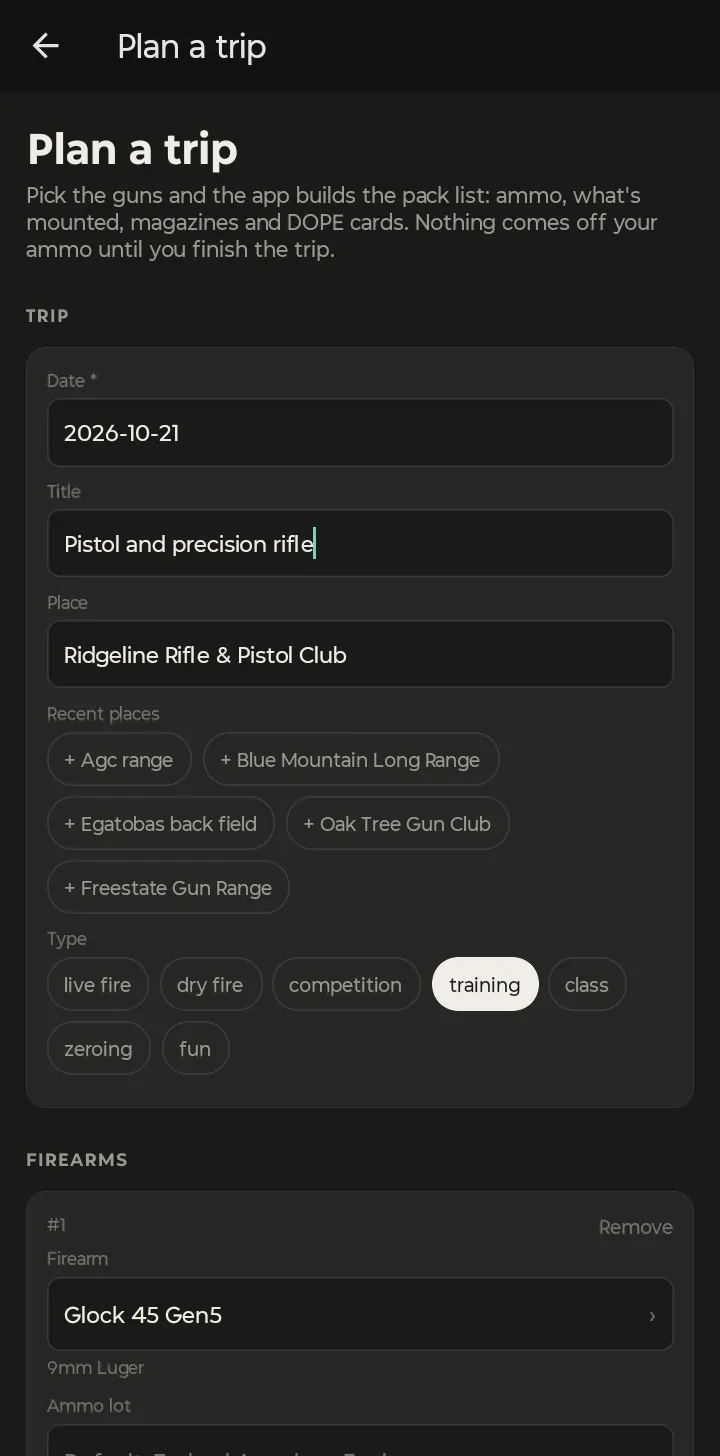
Then add each firearm. You don't have to fill in the ammo or the round count: GunCollector uses the lot and the rounds from the last time you shot that gun. For a gun you've never logged, it picks your biggest lot of the right caliber and a starting count of 100 rounds for a handgun, 60 for a rifle or 50 for a shotgun. The ammo list only shows lots that fit the gun.
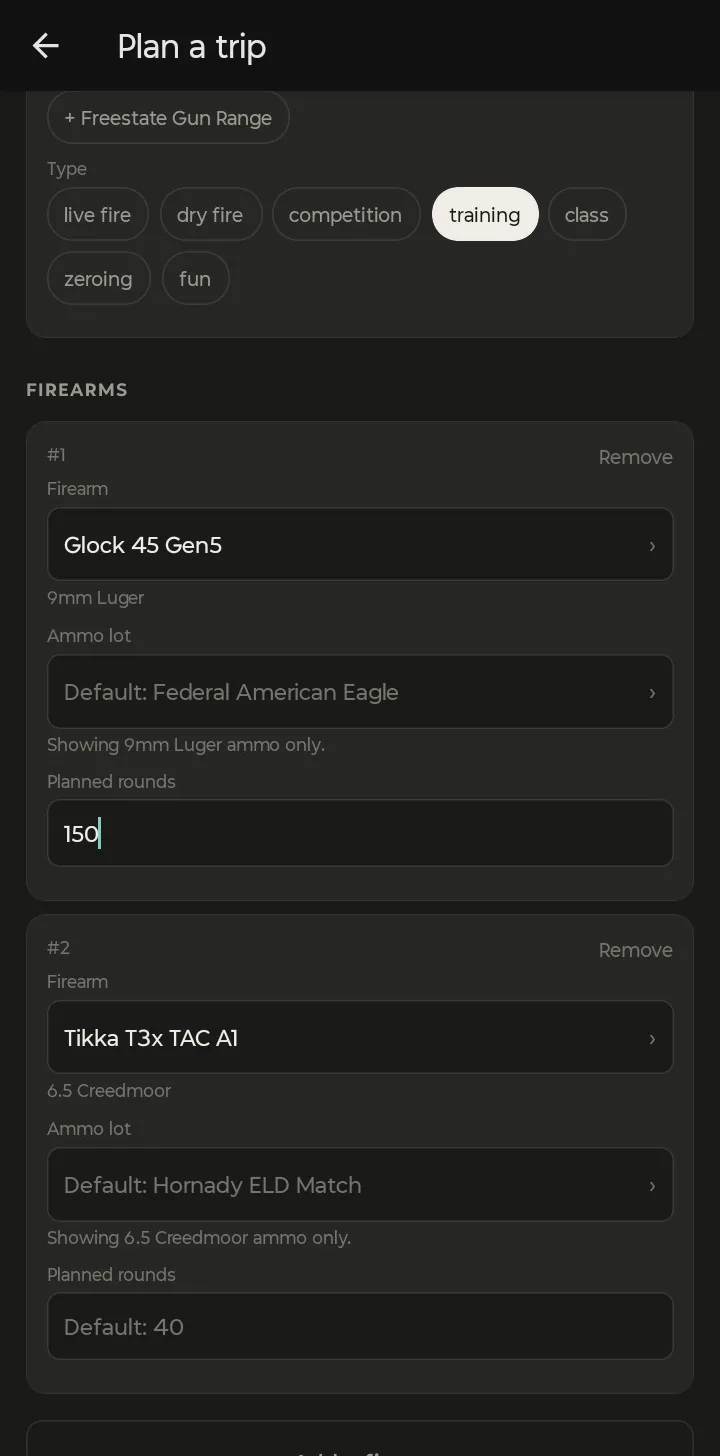
Add any gear that isn't in your collection, like ear and eye protection or targets. Gear from earlier plans shows up as one-tap suggestions. Tap Save plan.
2. Read the readiness check
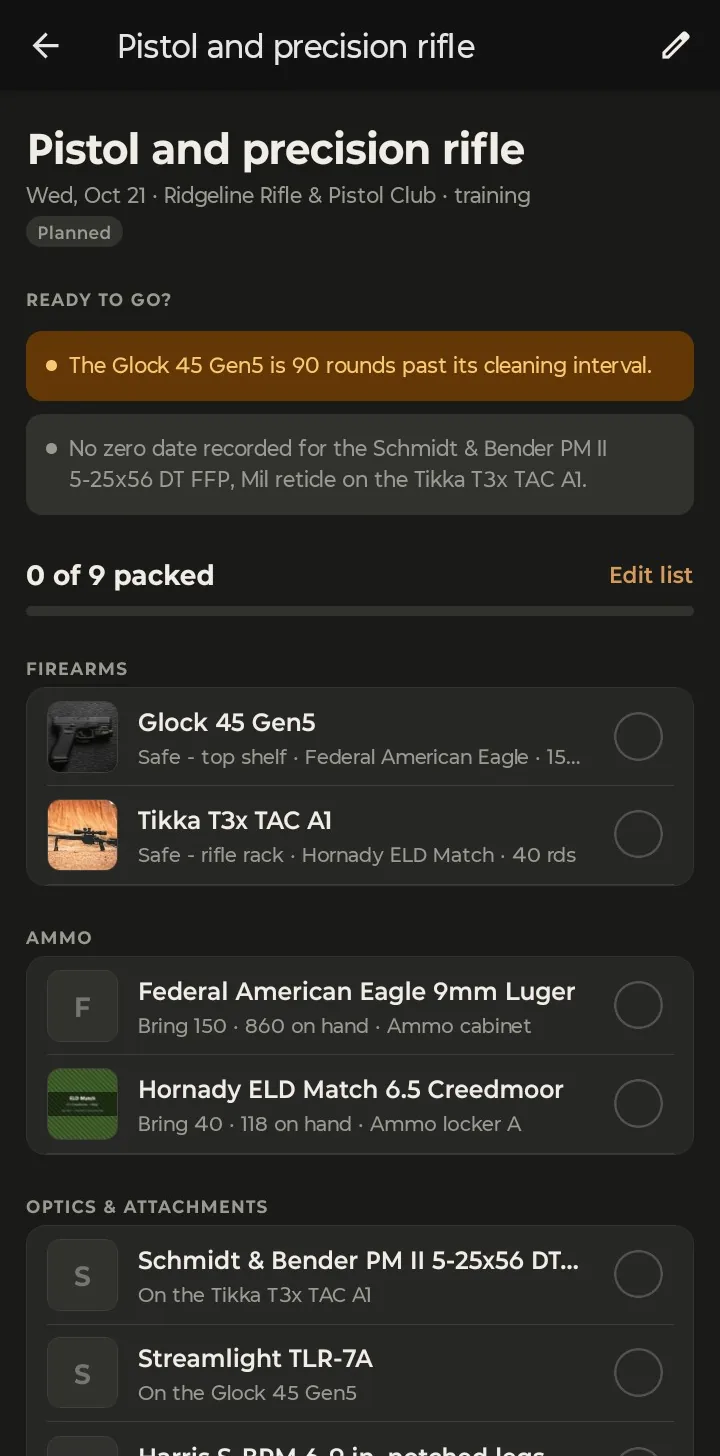
The plan opens with Ready to go? at the top. It looks across your whole collection and flags anything worth fixing before you leave. Orange items are warnings; grey ones are notes. Nothing here stops you from going.
What it checks:
- Ammo: you have enough of each lot, counting every gun that shares it; the lot matches the gun's caliber; and you own ammo for that caliber at all.
- Cleaning: a gun already past its cleaning interval, or one that will pass it during this trip.
- Optics: a scope or red dot with no zero date, or one mounted since it was last zeroed.
- Rifles: no DOPE card yet.
- Magazines: a semi-auto handgun or rifle with no magazines linked to it.
3. Pack from the list
Below the check is the pack list, built from what's already in your collection. Each gun has its photo and where it's stored. Each ammo lot shows how many rounds to bring, how many you have and where they are. Then come the optics, lights and bipods mounted on those guns, the magazines linked to them, the DOPE card for the rifle, and NFA paperwork when a gun needs it. Your own gear goes at the bottom.
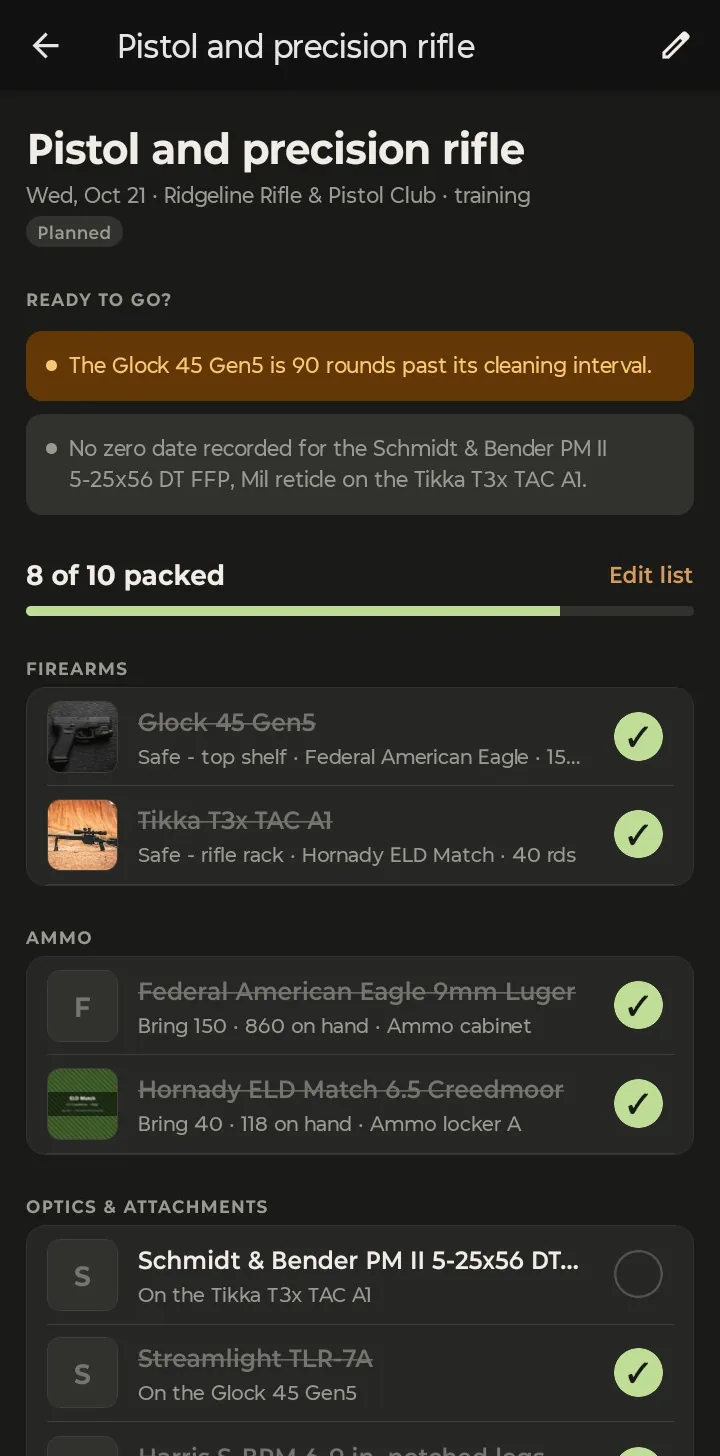
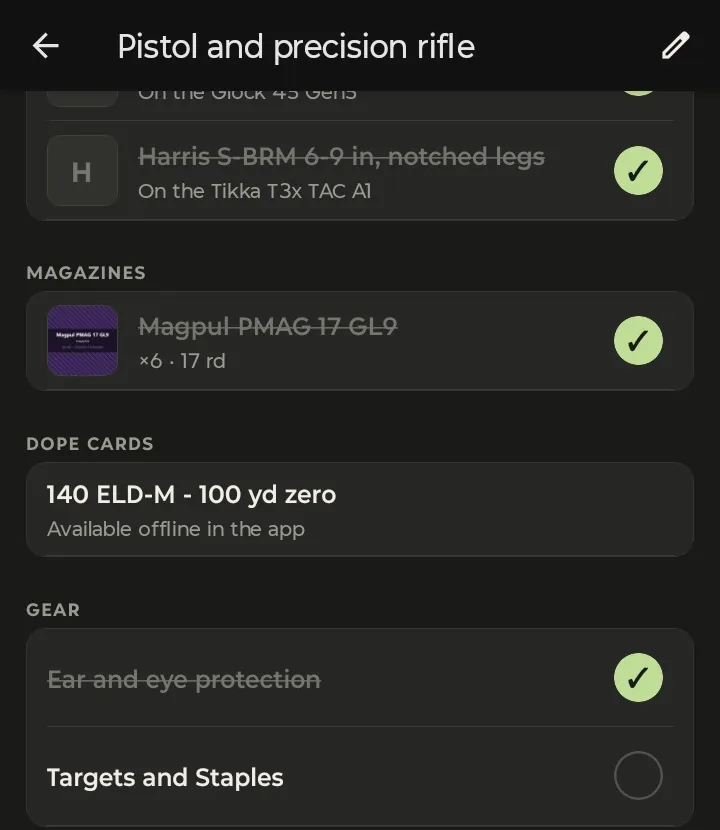
The list keeps itself current. Mount a new optic, link more magazines or make a DOPE card before the trip, and it shows up on the list. Edit list lets you remove anything you're not bringing this time. Ticks work with no signal, so you can pack in a basement or a parking lot.
4. Start the trip at the range
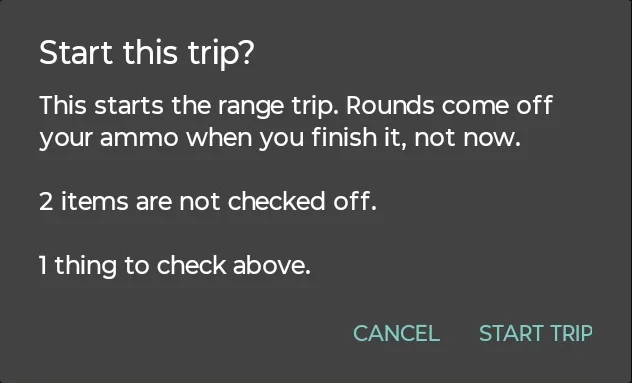
At the range, tap Start trip. If anything isn't ticked, or the readiness check still has a warning, it tells you before it starts:
Starting the trip turns the plan into a round counter. Each gun gets a counter that starts at the planned count; adjust it with the −50, −10, +10 and +50 buttons, or tap the number and type it. Target photo attaches a target to the trip, and Log malfunction records a stoppage with the ammo and the magazine it happened with.
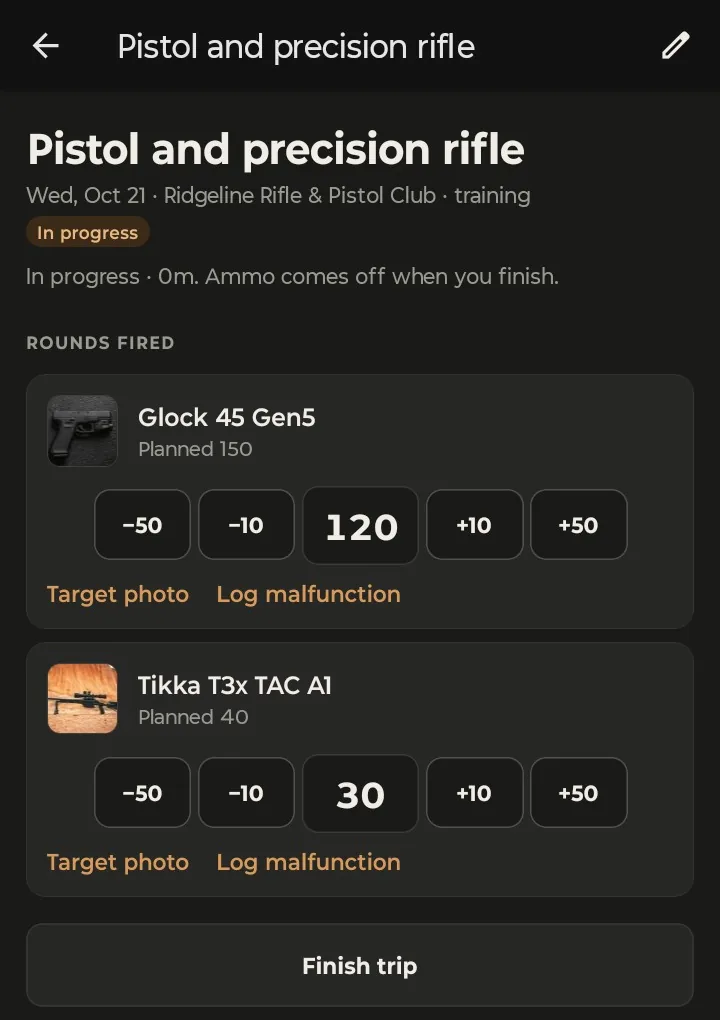
No signal at the range? Starting, counting, target photos and malfunctions all work offline, and you can close the app without losing the counts. Everything syncs when you're back in range of a tower. Log a Range Trip With No Signal shows how syncing works.
5. Finish, and your ammo updates itself
When you're packing up, tap Finish trip. Check the rounds for each gun and tap Save trip:
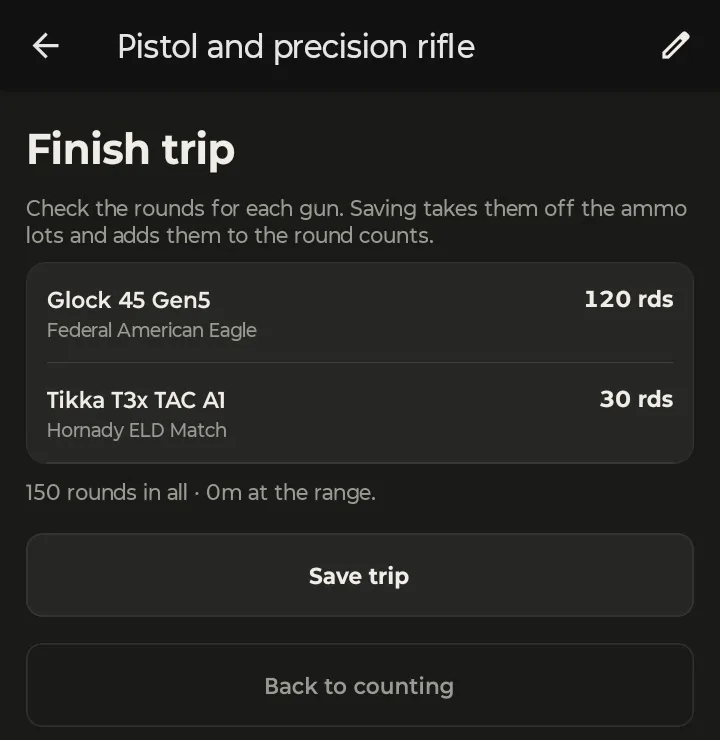
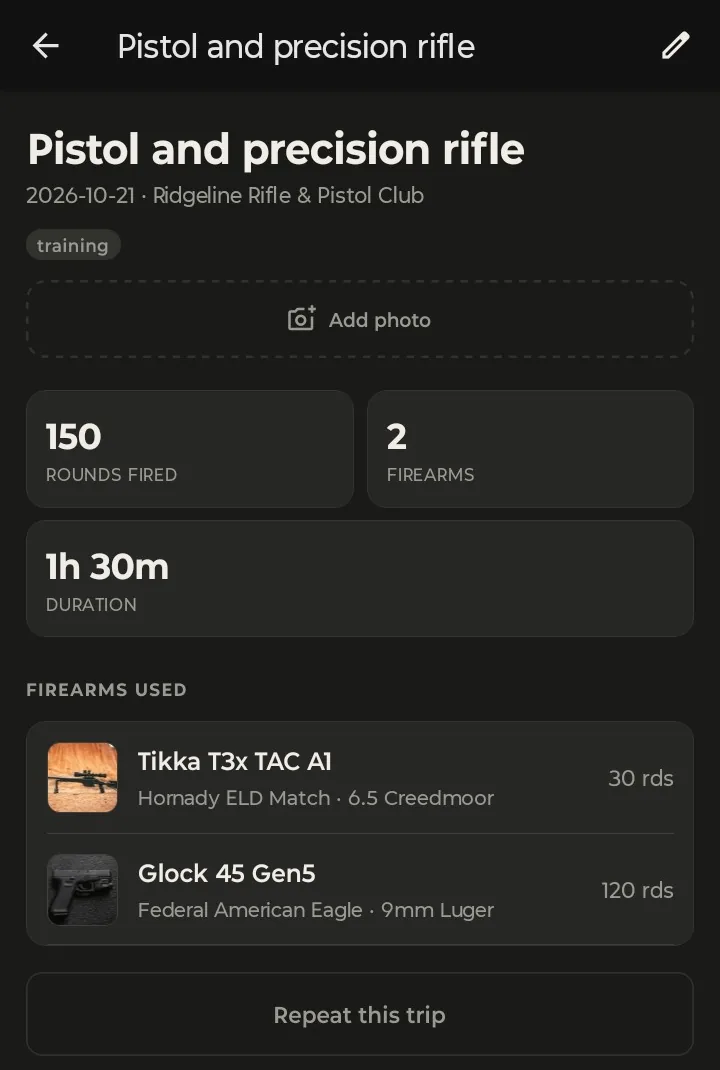
This is the only moment your inventory changes. In this trip the Federal American Eagle lot went from 860 rounds to 740, the Hornady ELD Match lot from 118 to 88, and the 120 and 30 rounds were added to each gun's round count and cleaning counter. Planning and starting a trip never touch your ammo, so a trip you plan and don't go on costs nothing.
6. Repeat it next time
Open any finished trip and tap Repeat this trip. You get a new plan with the same guns, the same ammo lots and the rounds you actually fired, with a fresh pack list and readiness check. Change the date and it's ready for next weekend.
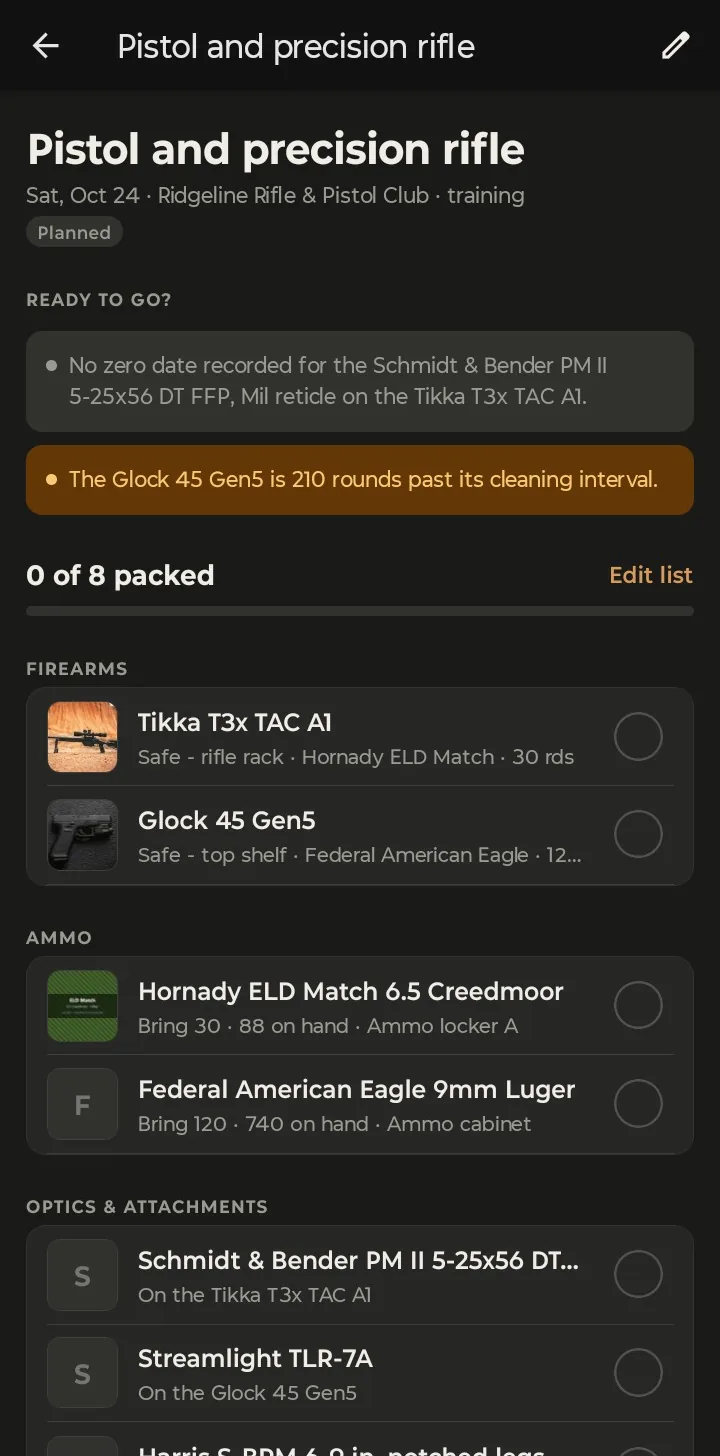
Repeating a trip needs a connection. Everything else in this guide works without one.
Planning from your computer? Trip planning is in the web app too, at app.guncollector.app: Plan a trip on the Range trips page. The web version can print the pack list, with or without photos, and can start and finish trips. The round counters are on the phone.