Screenshots are from the Android app. The iPhone app has the same screens and the same steps; its tab bar floats at the bottom of the screen and it uses Face ID for the lock.
Part 1: Your DOPE card at the bench
DOPE cards live on the rifle they belong to. Open the rifle from the Collection tab, scroll to DOPE cards, and tap one. (No card yet? New DOPE card is right below the list. To build one from your ammo's ballistics, see How to Build a DOPE Card for Your Rifle.)
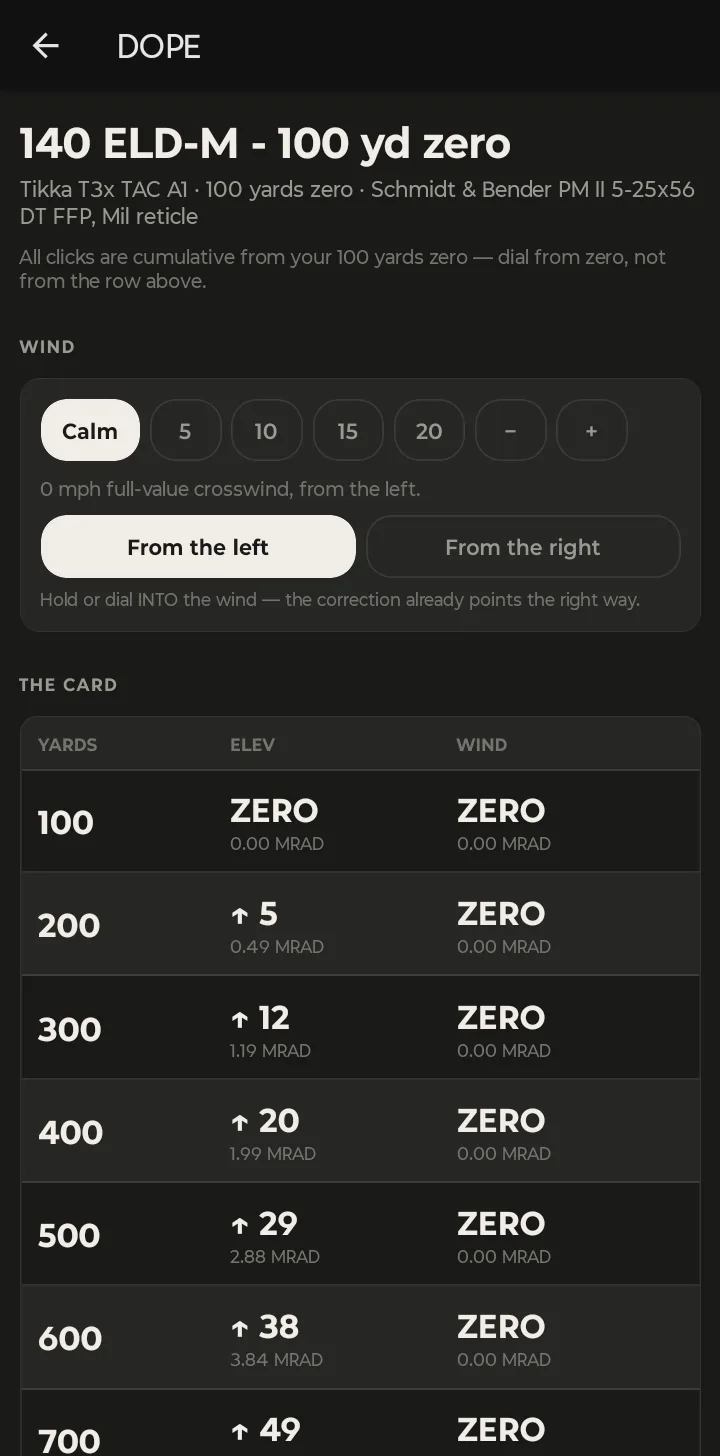
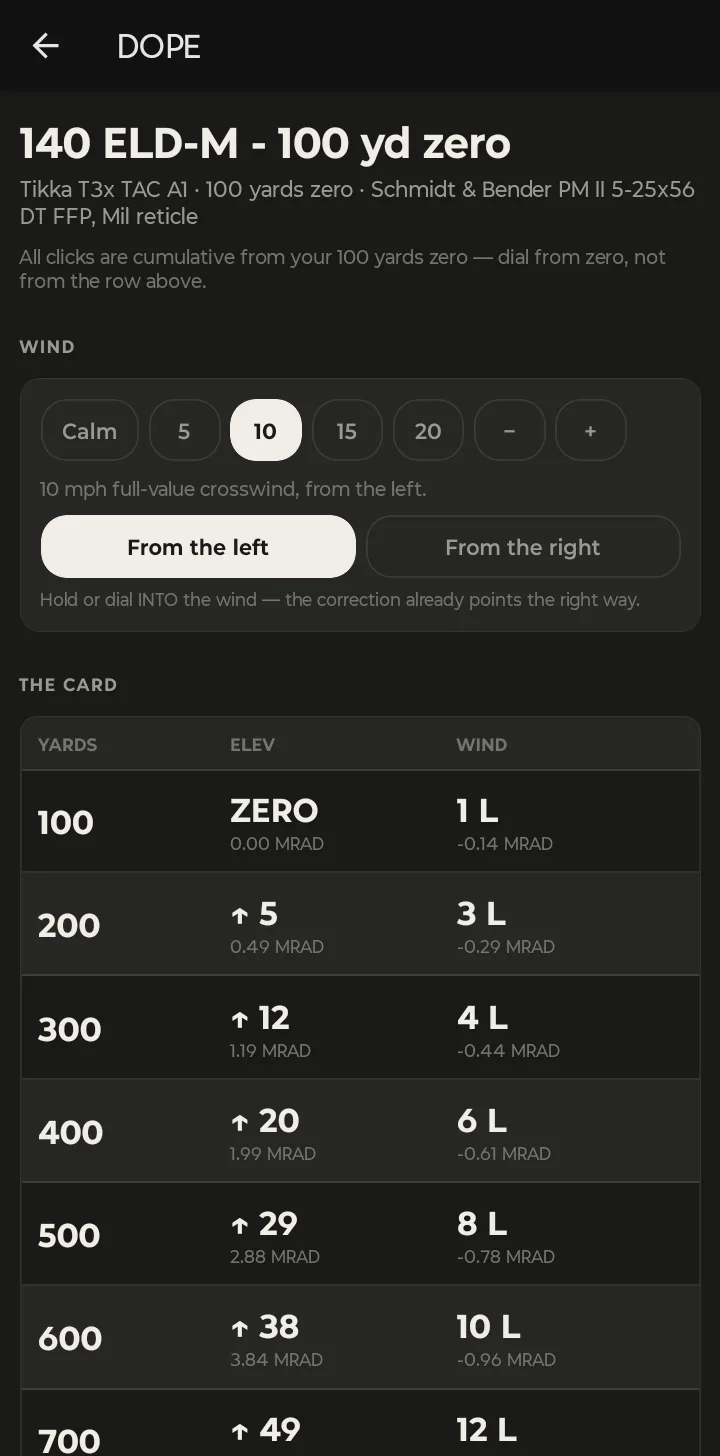
The header shows which rifle, zero distance and scope the card is for. Each row gives the elevation and wind correction for that distance in clicks, with the value in MRAD (or MOA, depending on your scope) underneath.
- Pick the wind. Tap Calm, 5, 10, 15 or 20 mph, or use − and + for anything in between. The whole card updates.
- Pick the direction. From the left or From the right. The corrections already point the right way — hold or dial into the wind.
- Dial from zero. Every row is cumulative from your zero. To go from 300 to 500 yards, dial to the 500-yard number, not the difference between the rows.
In the example, going from calm to a 10 mph full-value crosswind from the left changes the 500-yard wind hold from zero to 8 clicks left. The card is stored on the phone, so it's there with no signal.
Part 2: Measure a group from a target photo
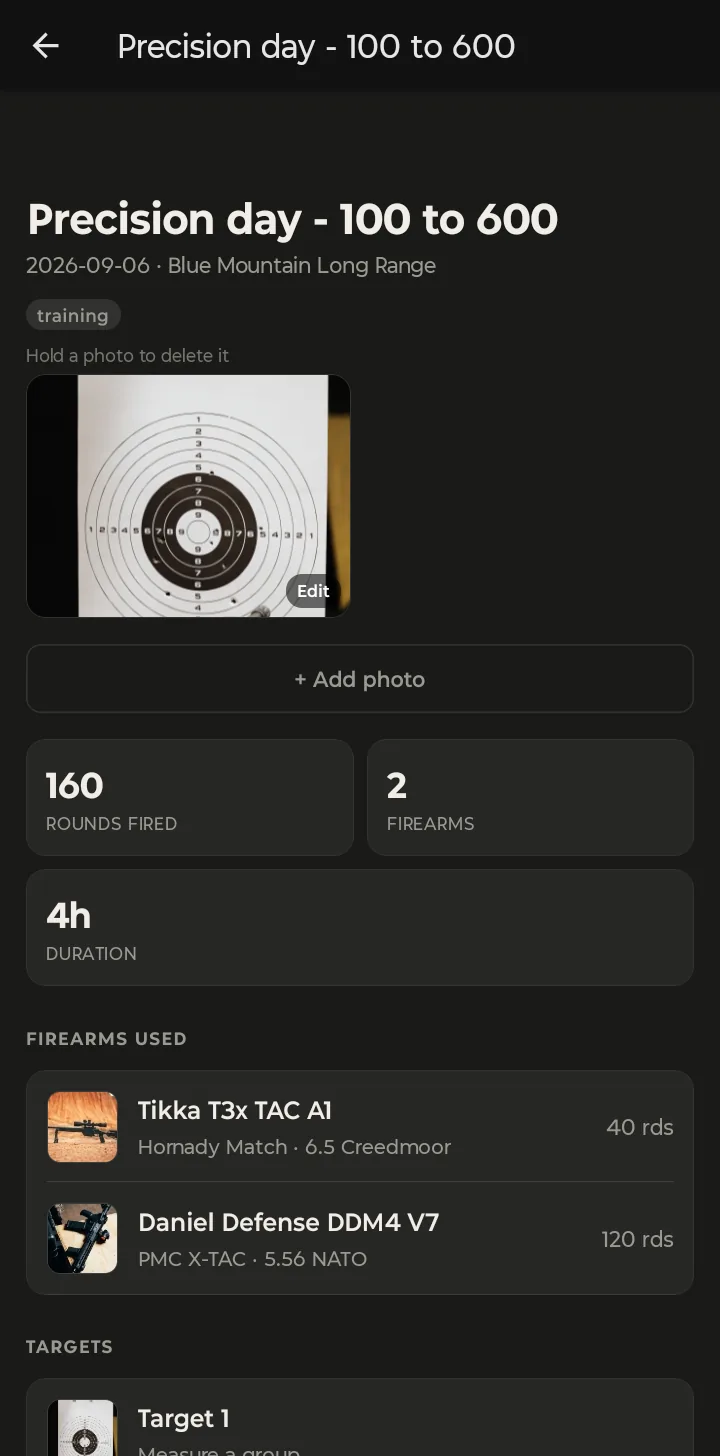
Group measurement starts from a target photo on a range trip. Open the trip from the Range tab (add the photo with + Add photo if it isn't there yet), then tap the target under Targets.
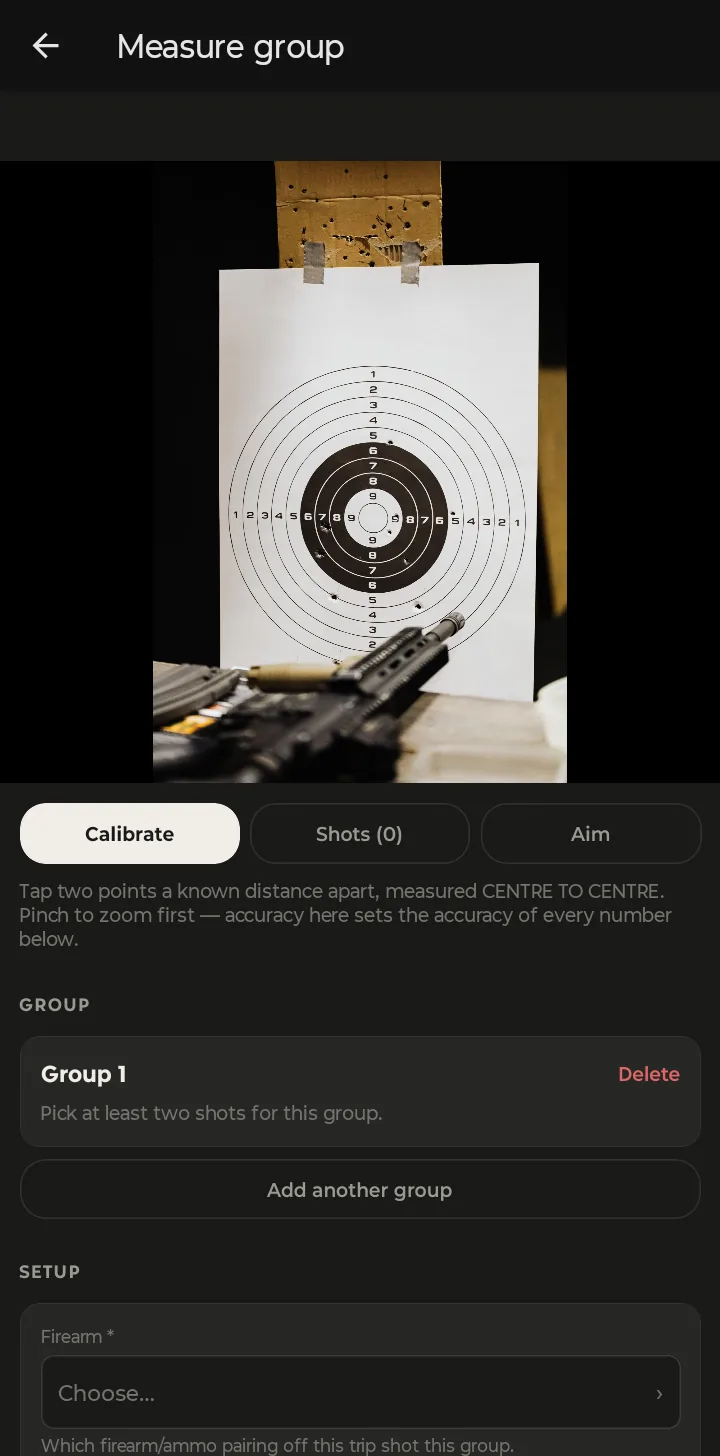
Step 1 — Calibrate
On the Calibrate tab, tap two points on the photo a known distance apart, measured centre to centre — two rings on the target, or two grid lines. Pinch to zoom in first. This step sets the scale for every number that follows, so take your time on it.
Step 2 — Mark the shots
Switch to Shots and tap each bullet hole. Each tap drops a numbered marker; zoom in to place them on the centre of each hole.
Step 3 — Mark your point of aim (optional)
On Aim, tap where you were aiming. With an aim point set, you also get the scope correction to move the group onto it.
Step 4 — Read the numbers
Under Setup, pick the firearm and ammo that shot the group and the distance, and the result appears at the top of the group card:
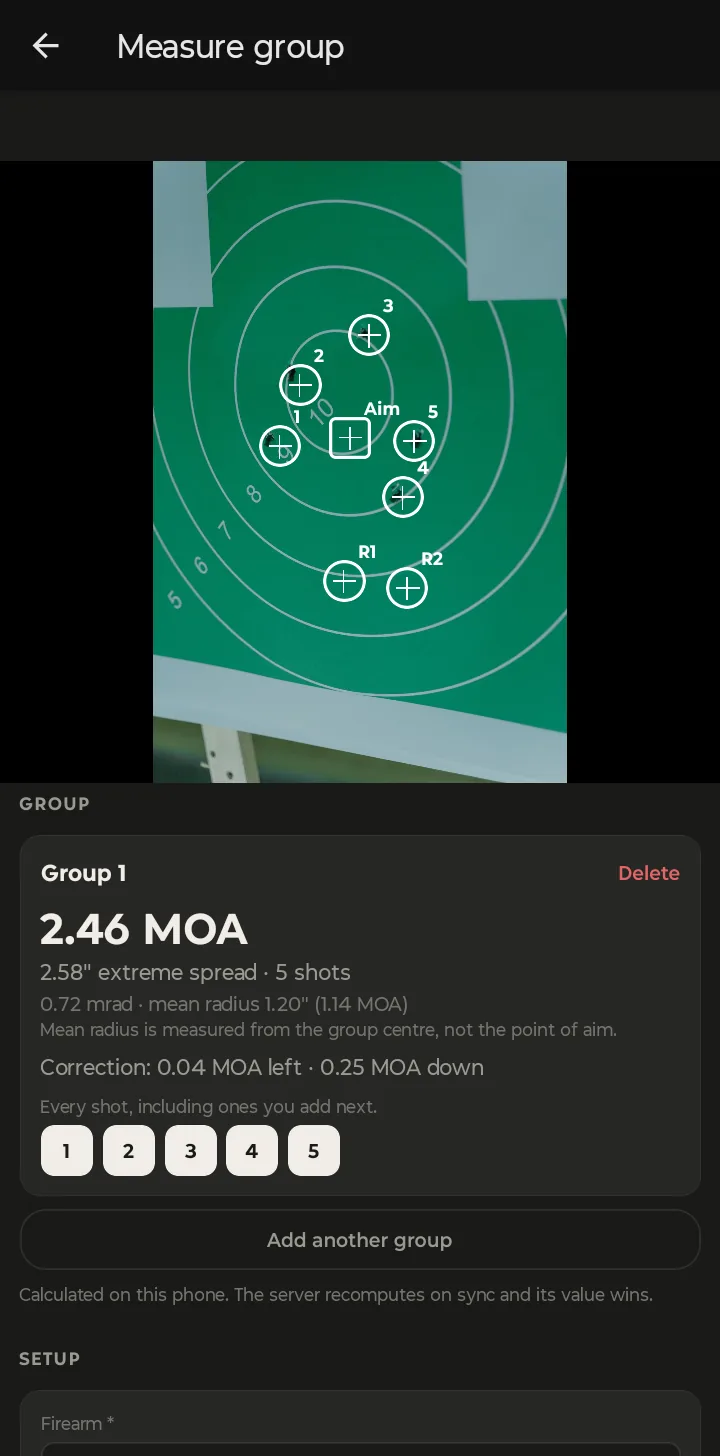
- Group size in MOA, with the extreme spread in inches and the number of shots.
- The same in mrad, and the mean radius. Mean radius is measured from the centre of the group, not from your point of aim, and it's a steadier measure of precision than extreme spread.
- Correction — how far to move your scope to put the centre of the group on your point of aim.
Shot more than one group on the same target? Tap Add another group and pick which shots belong to it.
Works at the bench. The numbers are calculated on the phone, so you can measure with no signal. When the trip syncs, the server re-runs the calculation and its figure is the one saved, so your phone and the web app always agree.
Every group you save is tied to the firearm and ammo lot that shot it, which builds up a record over time of which loads your rifle actually likes.