Screenshots are from the Android app. The iPhone app has the same screens and the same steps.
NFA items come with more paperwork than anything else you own, and it tends to live in a folder in the safe. Having the record on your phone means the form type, the status, the trust and the approval date are a tap away, along with a photo of the stamp. Everything in this guide is from a real account with five NFA items: two SBRs, a registered DIAS, a Spikes Tactical 37mm launcher and a Serbu Super Shorty AOW.
GunCollector is a record-keeping tool, not legal advice. It stores what you enter and what it reads from your paperwork. It doesn't tell you what's legal or which form you need. For the rules, go to the ATF.
1. Open NFA items
Tap More, then NFA. Every item is listed with its type and status, and the value on the right for devices. Search across them from the box at the top.
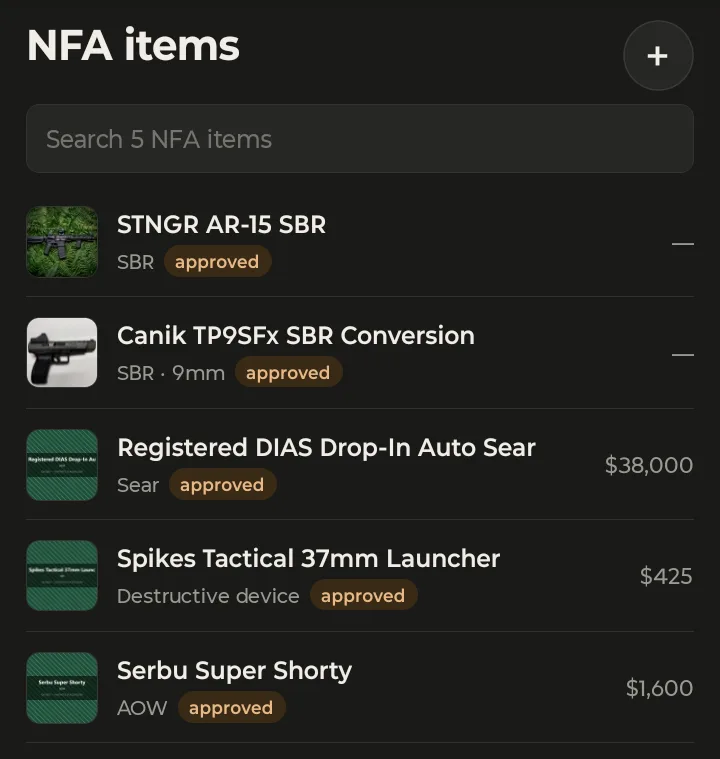
The two SBRs show a dash instead of a value. That's on purpose: for an SBR, SBS, machine gun or integrally suppressed firearm, the value is kept on the linked firearm's record, so it's only recorded once.
2. Photograph the item or its paperwork
Tap the + button. As the screen says, you can photograph the item itself, or its Form 1, Form 4 or tax stamp; both are read.
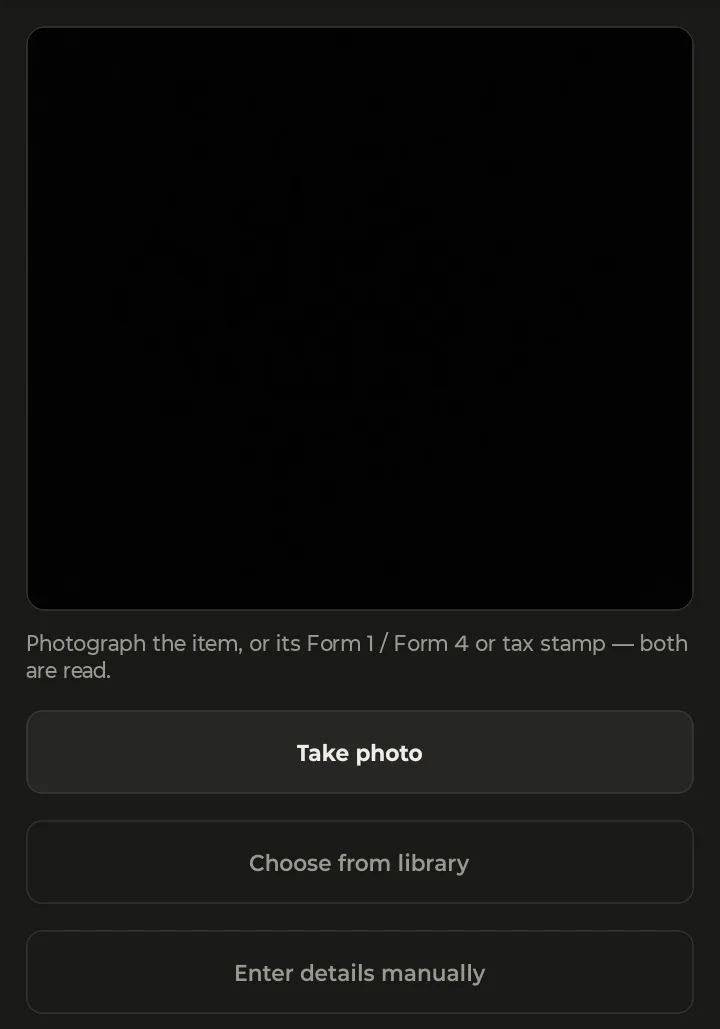
- Take photo uses the camera. Lay the stamp or form flat, in good light, with the whole page in the frame.
- Choose from library uses a photo you already have, such as the approved form you saved when it came through.
- Enter details manually skips the photo and opens an empty form.
While it reads, you'll see Identifying…. A photo of the paperwork doesn't get thrown away once it's read: it's saved on the new item under Paperwork / tax stamp, so your copy is in place from the start.
3. Check the details
Next comes Check the details, with what was read filled in and how confident the app is. The example below was read from a sample tax stamp we made for testing, not a real one. It came back at 90% confidence as a suppressor on an approved Form 4: a QA Acoustics QA-9 Ti in 9mm.
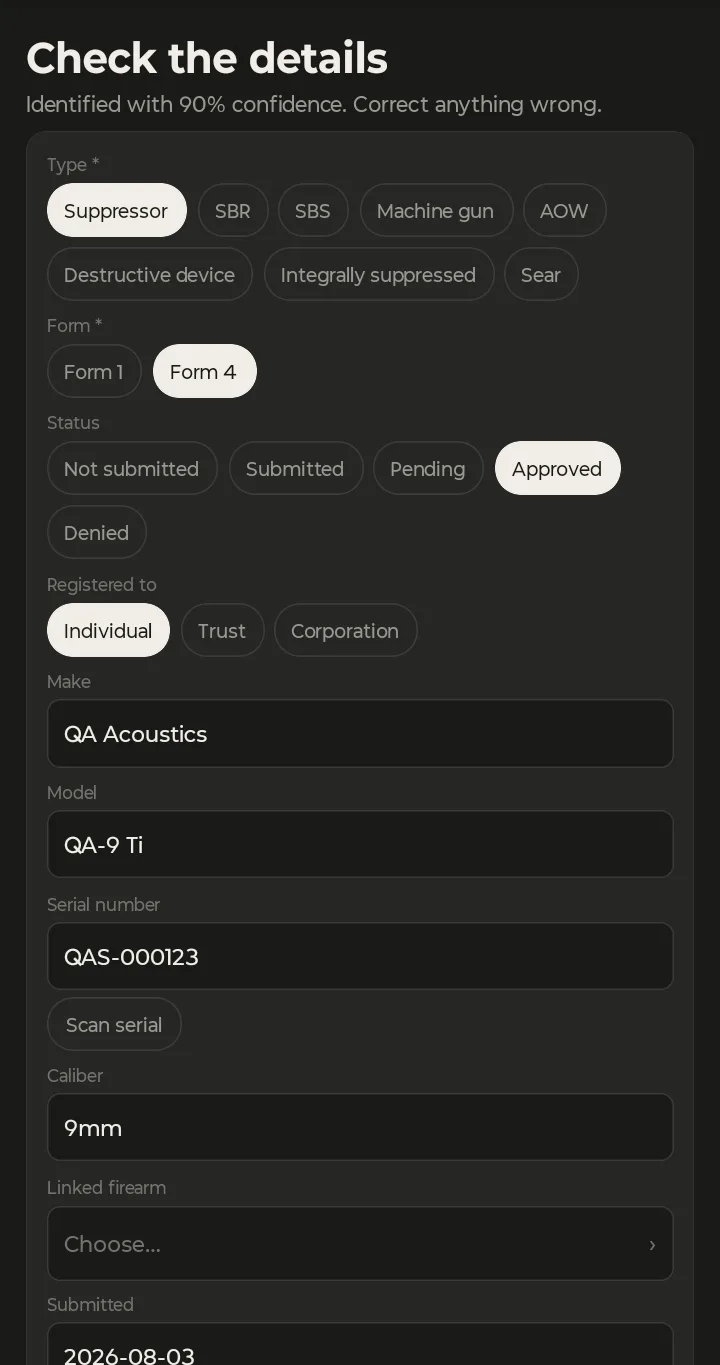
Go through it top to bottom:
- Type: one of eight: Suppressor, SBR, SBS, Machine gun, AOW, Destructive device, Integrally suppressed or Sear. On the phone there's no default: if nothing was read, or you're entering it by hand, you pick it yourself.
- Form: Form 1 or Form 4. It starts on Form 4.
- Status: Not submitted, Submitted, Pending, Approved or Denied.
- Registered to: Individual, Trust or Corporation. For a trust, add the Trust name.
- Make, Model and Serial number. If the serial came out wrong, tap Scan serial to read it with the camera.
- The dates you have, starting with Submitted.
The confidence score is a guide, not a guarantee. Compare the serial number against the stamp character by character; it's the field that matters most.
4. Link the firearm
What happens here depends on the type.
- A suppressor, AOW, destructive device or sear stands on its own. Linking it to a host firearm is optional, which is why the sample above leaves Linked firearm on Choose….
- An SBR, SBS, machine gun or integrally suppressed firearm belongs to a firearm in your collection. Choose Link an existing one to pick it, or Add a new one to create it now. For an SBR, SBS or machine gun, the make, model and serial come from that firearm, so they're only kept in one place.
A firearm can have only one NFA item. If you delete the NFA item later, the firearm stays in your collection. A firearm you add here counts toward the Free plan's 5 firearms. When it all looks right, tap Save NFA item.
5. The item's record
Tap an item in the list to open it. Here's an SBR made on a Form 1 and held in a trust:
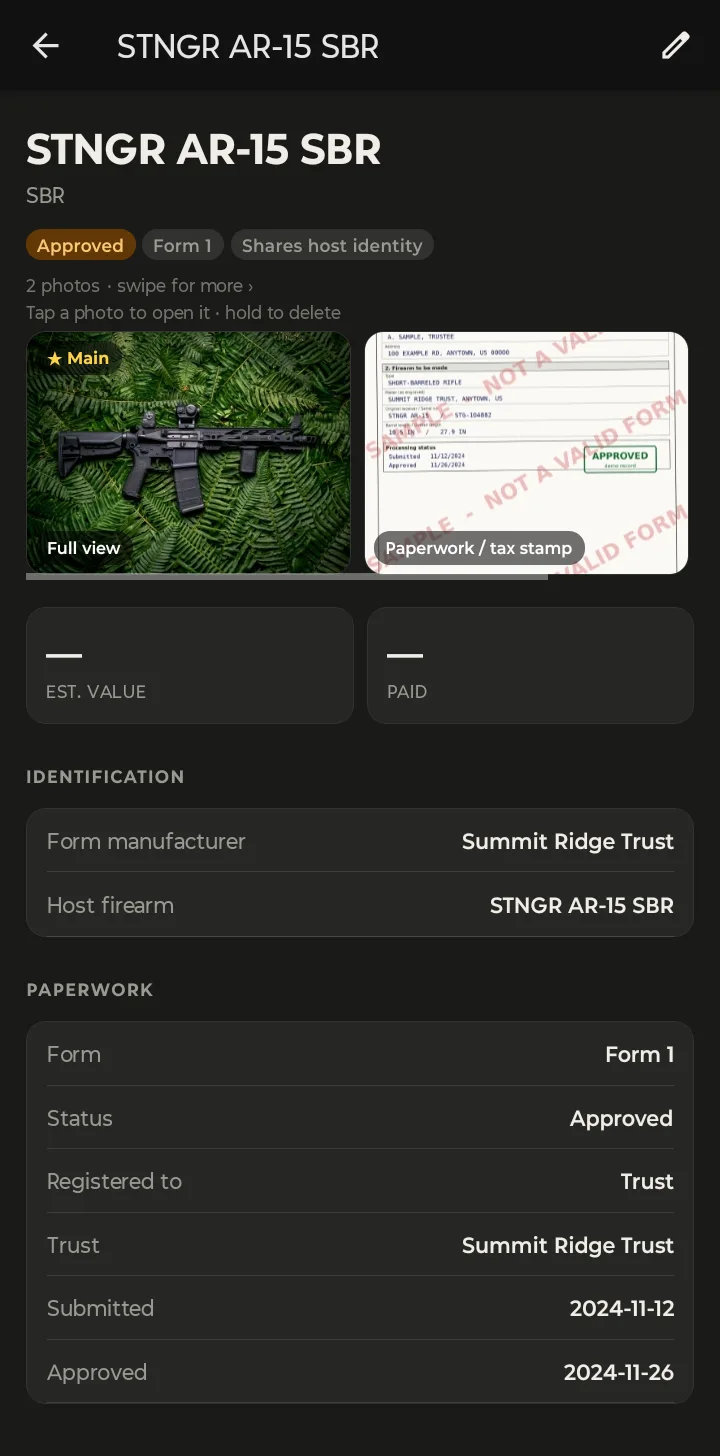
- Badges along the top: the status, the form, and for an SBR, SBS or machine gun, Shares host identity, meaning its make, model and serial are the linked firearm's.
- Photos: swipe through them, tap one to open it, hold to delete. Here the second photo is the approved Form 1, filed as Paperwork / tax stamp. (The one shown is a sample form, as the watermark says.)
- Est. value and Paid: for a device these are the item's own; for an NFA firearm like this one, they're on the linked firearm.
- Identification: the manufacturer on the ATF form and the host firearm.
- Paperwork: the form, status, who it's registered to, the trust, the control number when you have it, and the dates.
Tap the pencil at the top to edit it, say when a pending form comes back approved.
6. No signal, and what's on the web
NFA items work offline. If you add or change one with no signal, the change is queued and saved when your phone is back online.
Two things are only in the web app, at app.guncollector.app/nfa:
- Import Form 1: upload the approved Form 1 PDF you downloaded from ATF eForms, and the fields are read from it.
- Changing to or from an SBR, SBS or machine gun, for example from a suppressor to an SBR. The phone tells you to Change the type on the web.
At your desk? The web app has the same NFA items, plus the Form 1 import from eForms and a day count while you wait on a form. How to Track NFA Items on the Web walks through it.