Screenshots are from the Android app. The iPhone app has the same screens and the same steps; its tab bar floats at the bottom of the screen and it uses Face ID for the lock.
Most ranges have one bar of signal if you're lucky. GunCollector keeps your whole collection on the phone, so logging a trip works the same with or without a connection. To show it, we logged this one with the phone in airplane mode.
1. Start a new trip
On the Range tab, tap +. Today's date is filled in. Pick the session type, and optionally add a title, the range, and how long you shot:
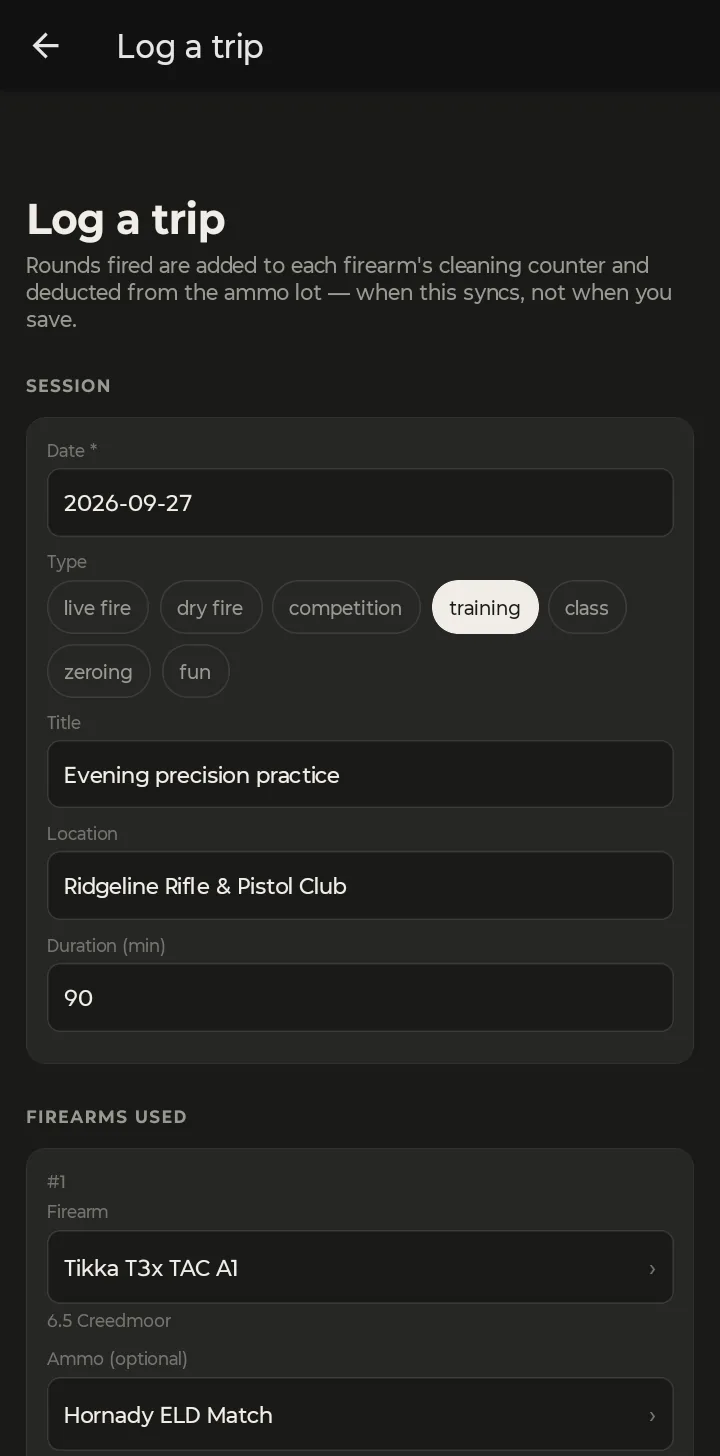
The note at the top is worth reading: rounds fired are added to each firearm's cleaning counter and taken off the ammo lot when the trip syncs, not the moment you tap save.
2. Add each firearm and its ammo
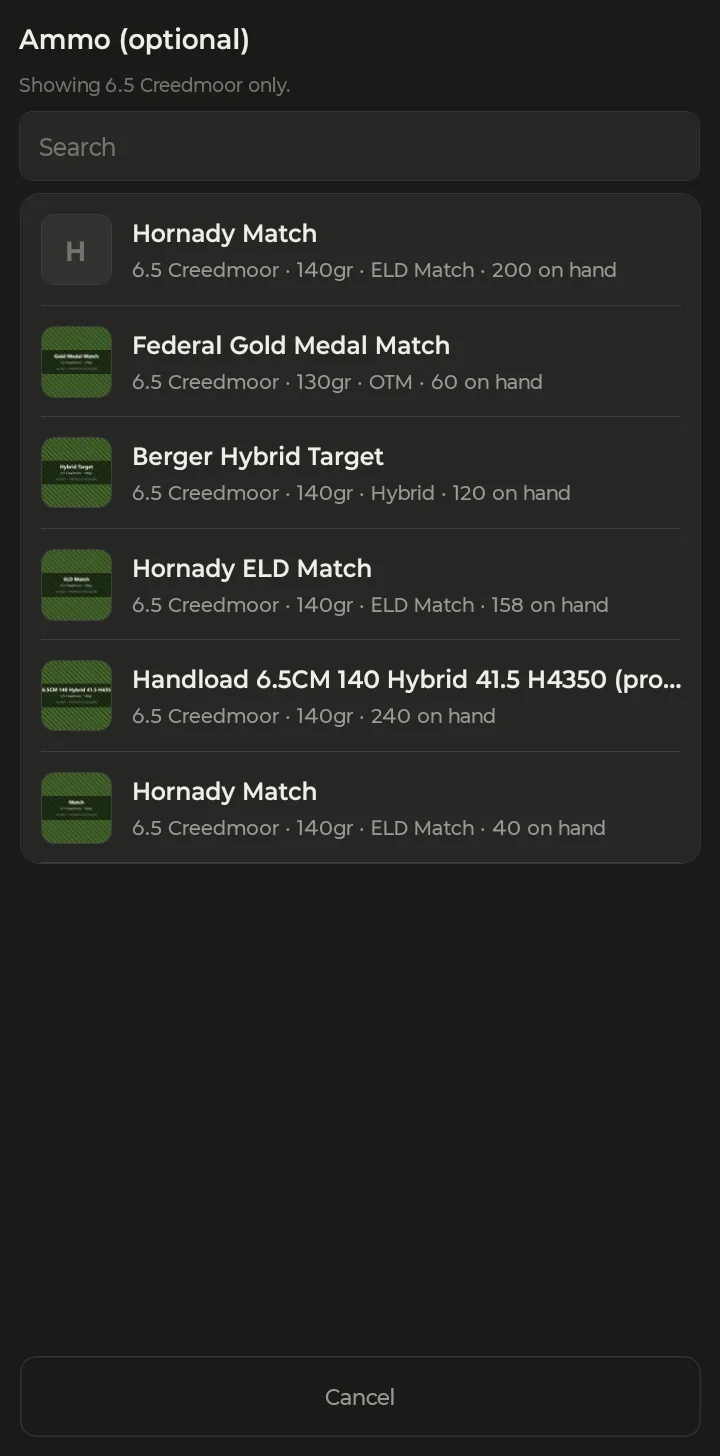
Under Firearms used, tap Firearm and pick from your collection. Then tap Ammo: the list is already filtered to the firearm's caliber and shows how many rounds you have left in each lot.
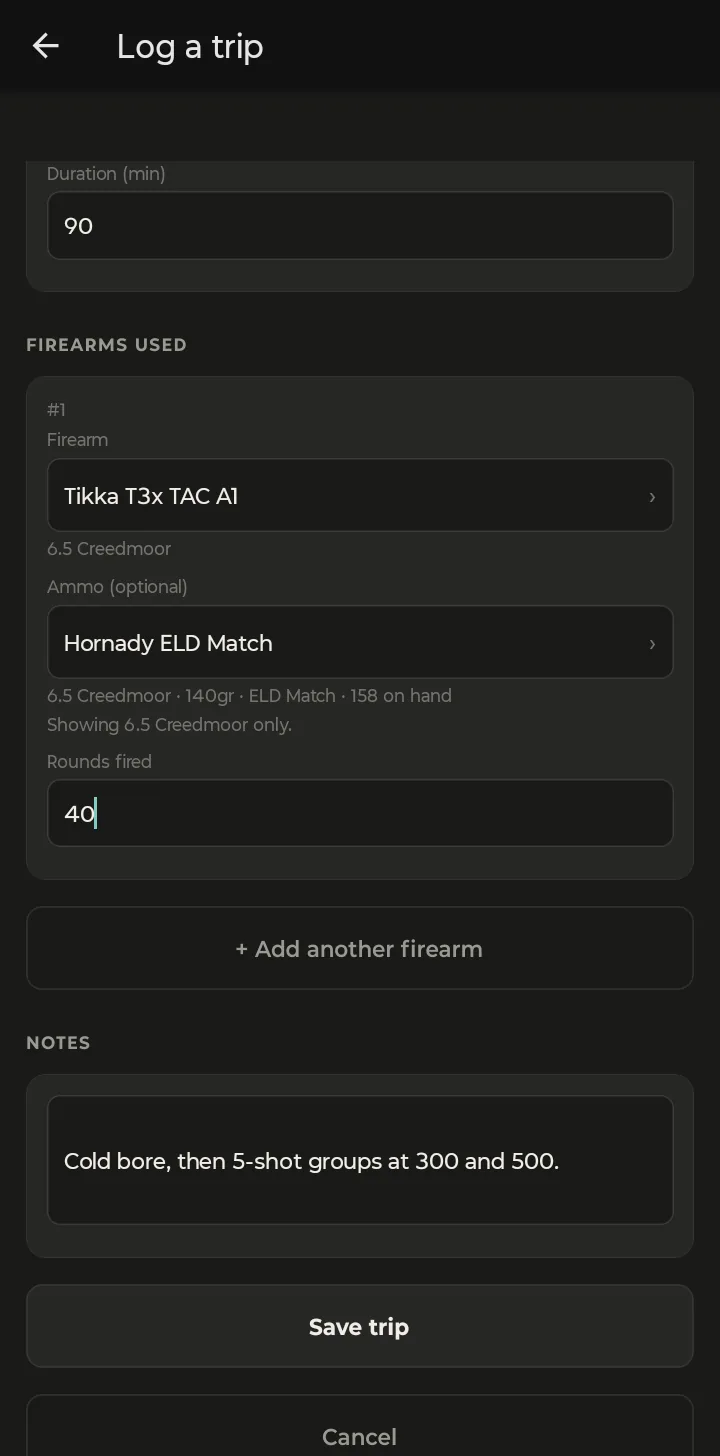
Enter Rounds fired. Shot more than one gun? Tap + Add another firearm and repeat. Add any notes, then tap Save trip.
3. It saves, even with no signal
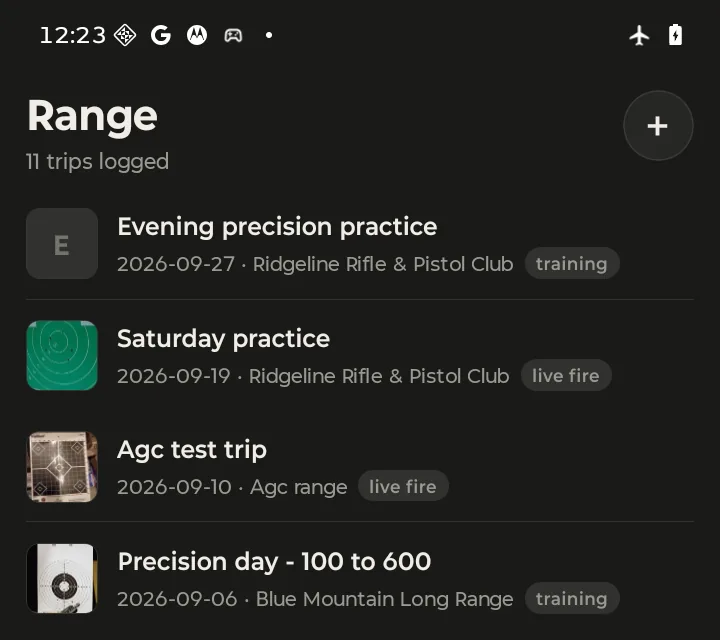
The trip appears at the top of your Range list right away. Notice the airplane icon in the status bar — the phone had no connection at all:
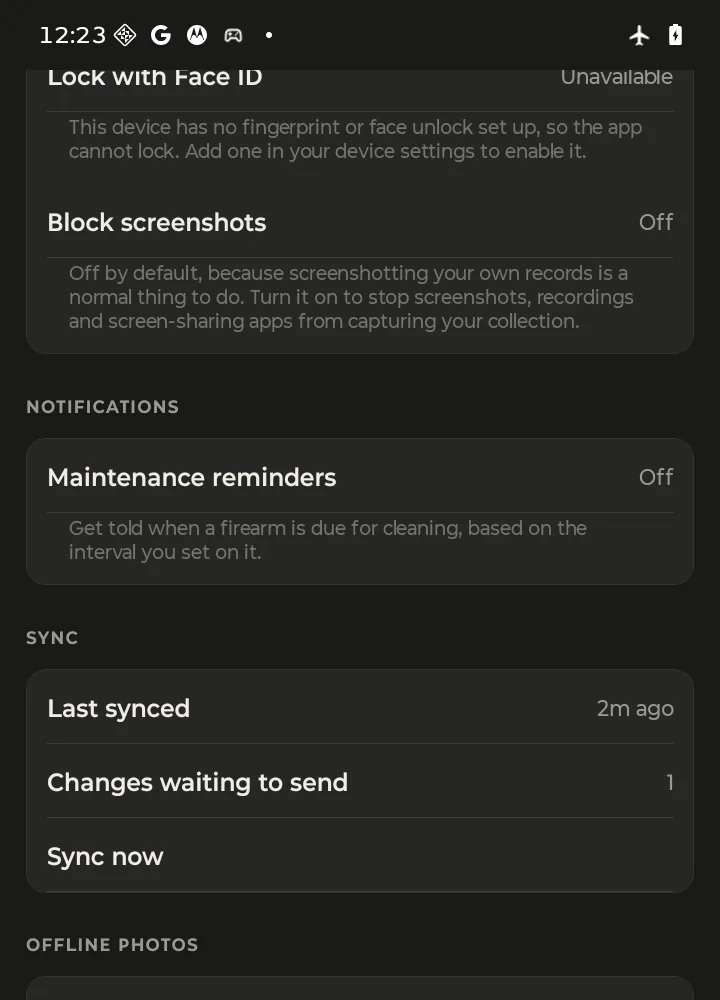
To see what's queued, open More and scroll to Sync. Changes waiting to send counts everything saved on the phone that hasn't reached your account yet.
4. Back in range, it syncs itself
You don't have to do anything. When the phone gets a connection, the app sends the queue on its own. Sync now is there if you want to push it through right away. Once it's gone, the waiting line disappears and Last synced reads “just now”:
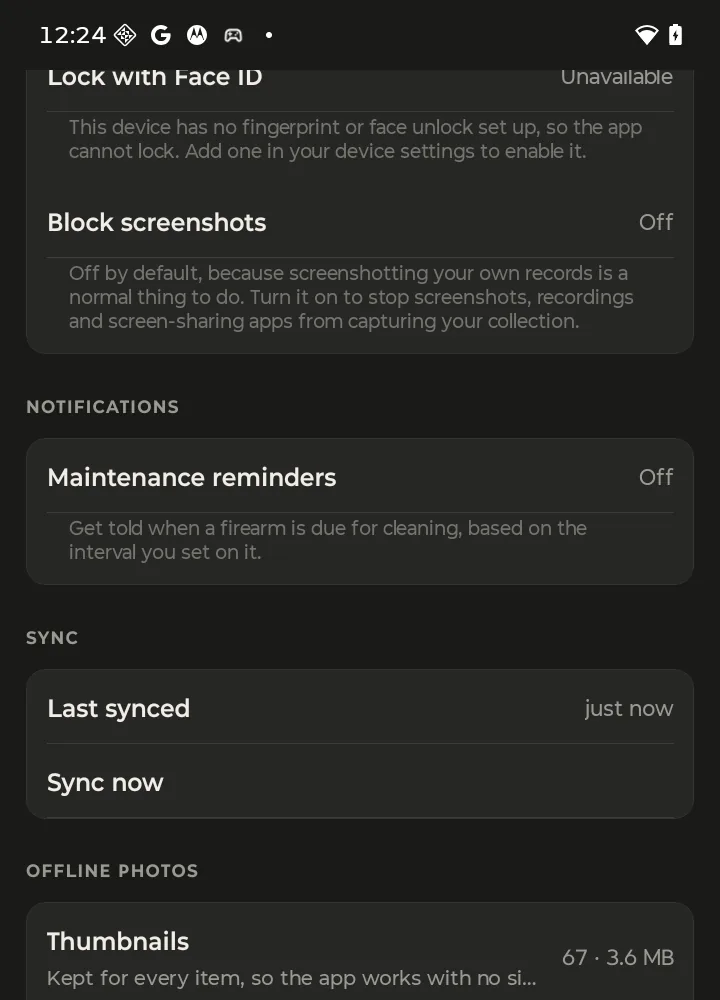
5. Check the result
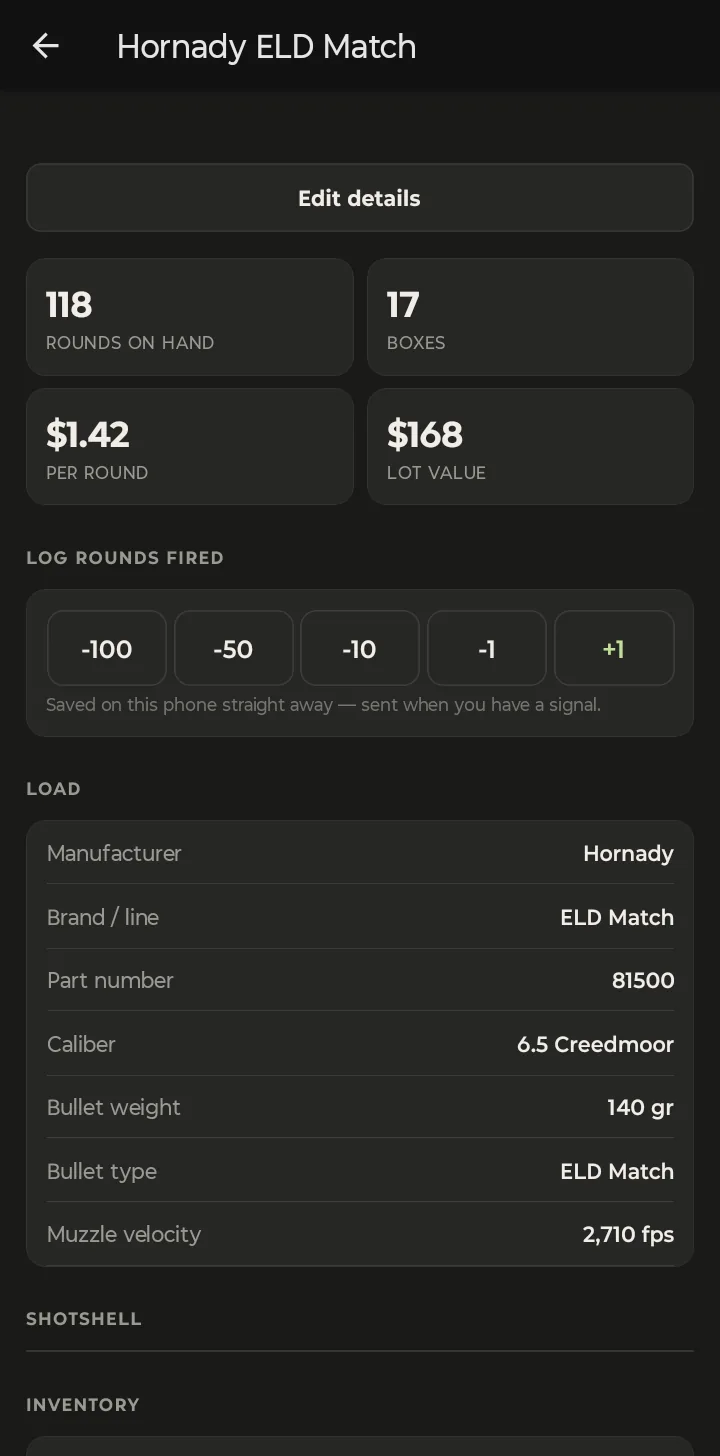
The trip is now in your account, on the web and on any other phone you're signed in on. The server has also done the bookkeeping: the Hornady ELD Match lot went from 158 rounds to 118, and the rifle's cleaning counter went up by 40.
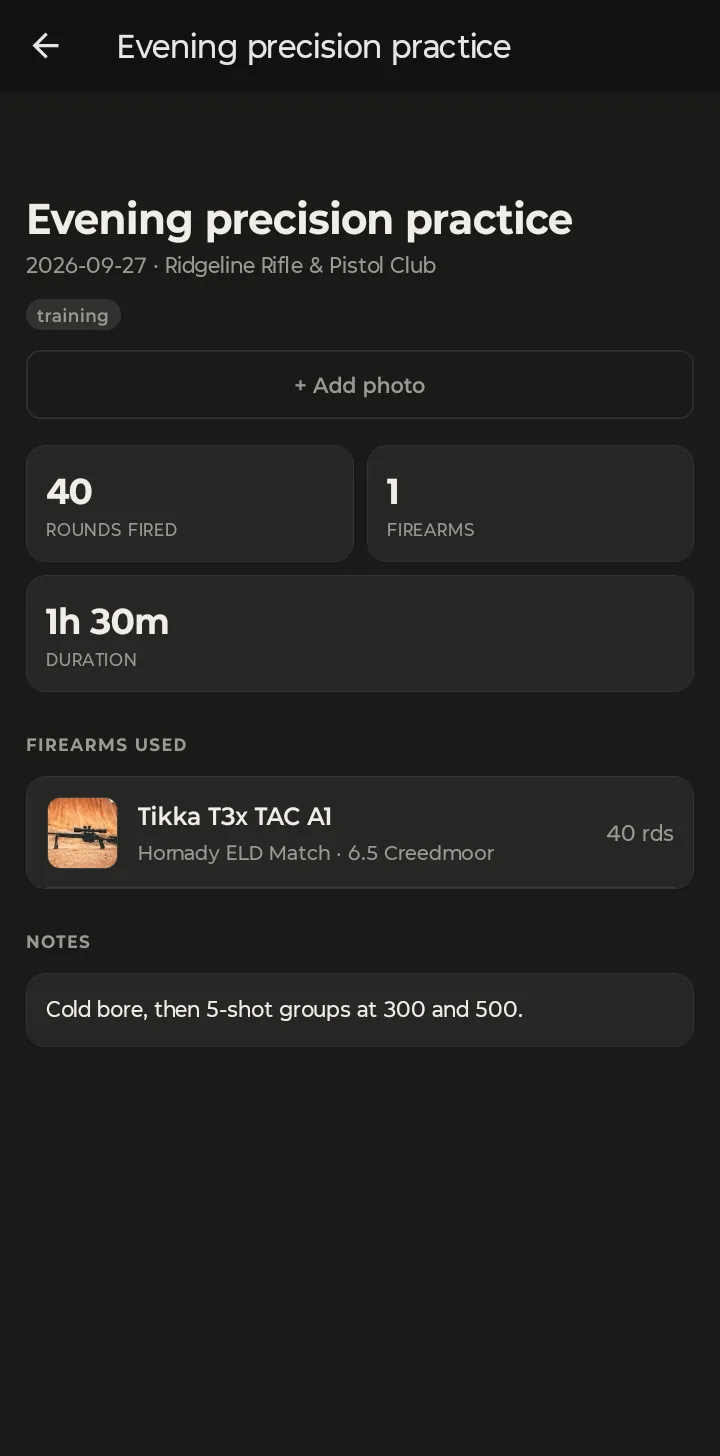
Want to add the target? Open the trip and tap + Add photo to attach a target photo, then measure the group from it. That's covered in DOPE Cards and Group Measurement on Your Phone.
Just need to fix a round count? Open the ammo lot and use the −100 / −50 / −10 / −1 / +1 buttons under Log rounds fired. They work offline too.