Screenshots are from the Android app. The iPhone app has the same screens and the same steps.
Most people clean a gun when they remember to. And when a pistol starts choking, the details you need (which ammo, which magazine, how many times) are gone by the time you get home. GunCollector counts rounds from your range trips, so it knows when a gun is due, and your phone is right there when something goes wrong. Everything in this guide is from a real account: a Canik TP9SFx that had two failures to extract in a week, then had its extractor polished.
1. Set a cleaning interval
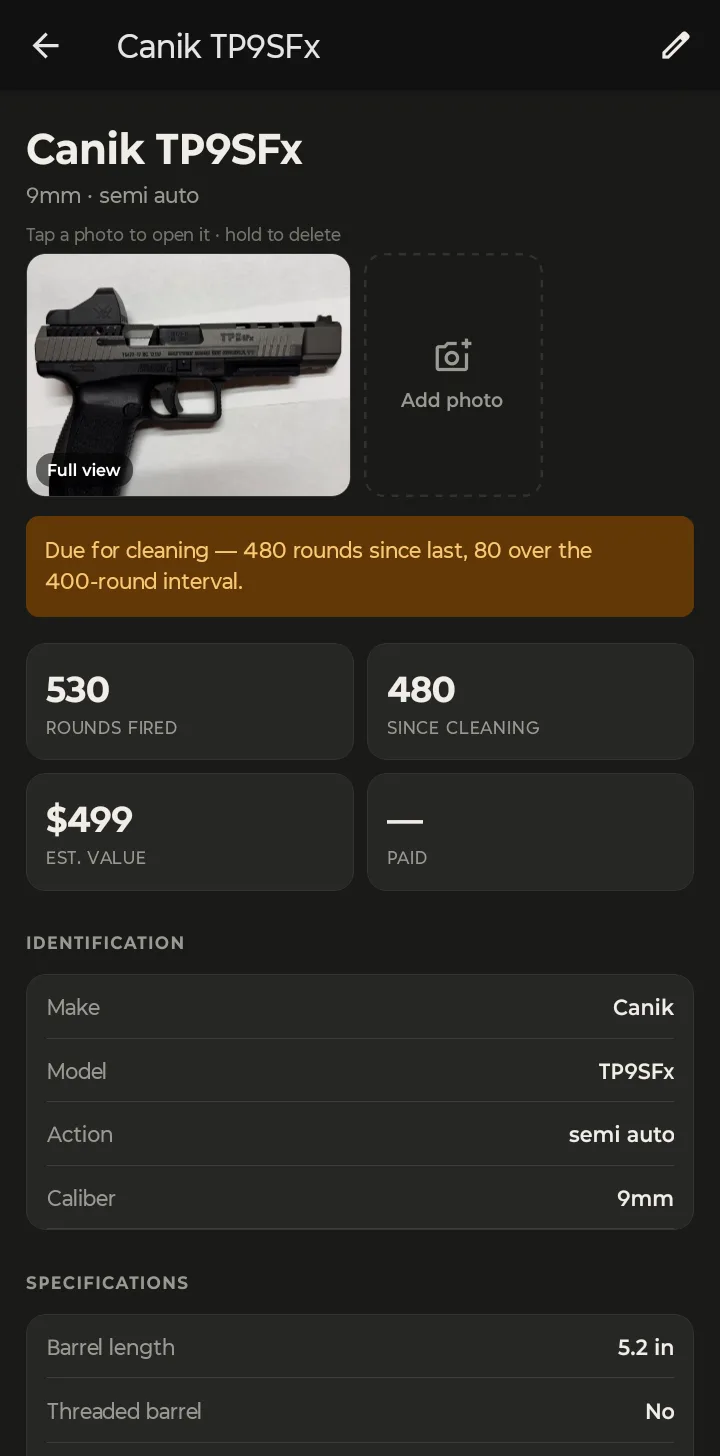
The interval is how many rounds you want to fire between cleanings. Open a firearm, tap the pencil to edit it, and under Maintenance fill in Clean every (rounds). The Canik here is set to 400.
Pick a number that matches how you actually treat the gun, not what the manual says in theory. A precision rifle you clean after every match might be 200. A range pistol that eats cheap brass-cased practice ammo might be 400 or 500. You can change it any time.
When you set it, the app may ask for permission to send notifications. Allow it if you want a reminder when the gun goes overdue (more on that below).
From then on, every range trip adds to the count. The firearm screen shows Rounds fired and Since cleaning side by side, and when the count reaches the interval, a banner says so:
2. See what's overdue
Tap More, then Maintenance. The top of the screen says how many firearms are overdue (or Nothing overdue), and each overdue gun gets a row with its rounds since cleaning and how far over it is.
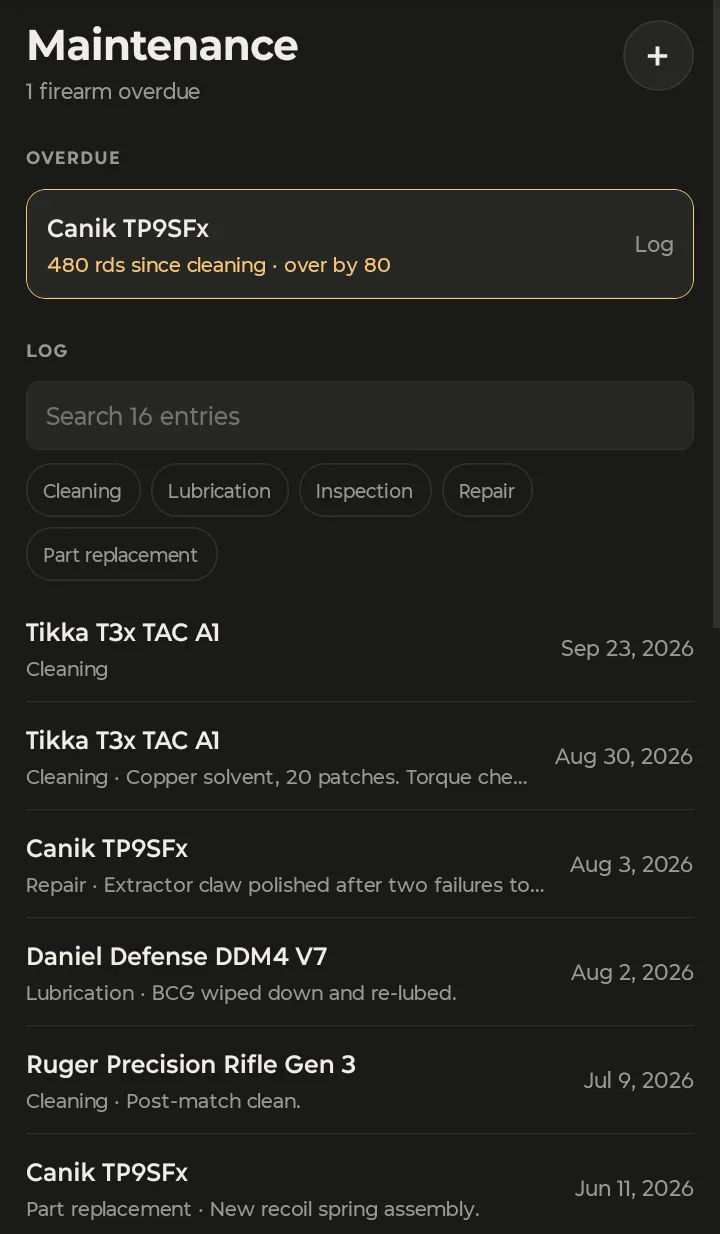
Below that, Log is every maintenance record across your collection. Search it, or tap a type chip to see only cleanings, only repairs, and so on.
The overdue notification
When a gun goes past its interval, your phone gets a notification:
Cleaning due — A firearm in your collection is past its cleaning interval.
It never names the gun, so a glance at your lock screen doesn't tell anyone what's in your safe. Open the app and More → Maintenance shows which one it is. The Maintenance alerts switch under More → Preferences turns these reminders on or off.
3. Log a cleaning, repair or part
Tap Log on an overdue gun, or + Log under Maintenance on the firearm screen. Pick the type, check the date, add a note, and tap Log it.
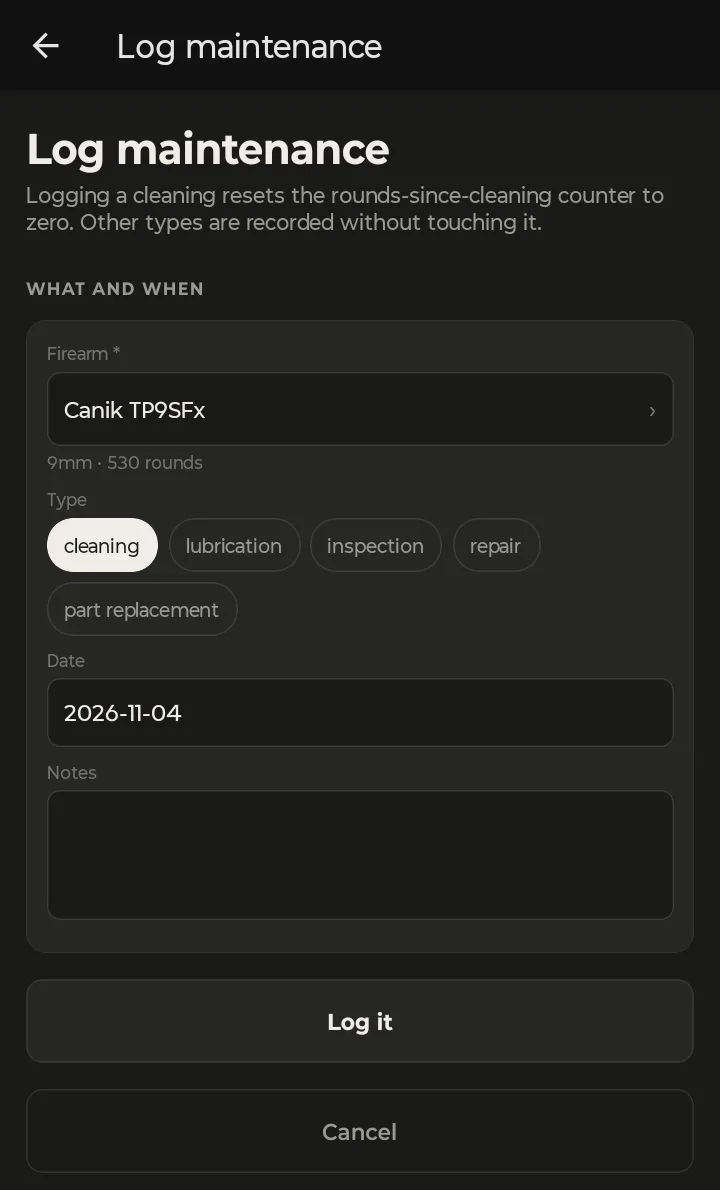
The screen spells out the rule: "Logging a cleaning resets the rounds-since-cleaning counter to zero. Other types are recorded without touching it." A lube, an inspection, a repair or a new part goes in the history, but the gun stays due until it's actually cleaned.
Use the notes for the things you'll want to know in a year: the solvent and lube you used, a spring you checked, a torque value, anything that looked worn. "Recoil spring checked, still in spec" takes ten seconds to type, and it's what tells you in June that it's time for a new one.
Further down the firearm screen, Maintenance shows that gun's latest records, and Malfunctions sits right under it:
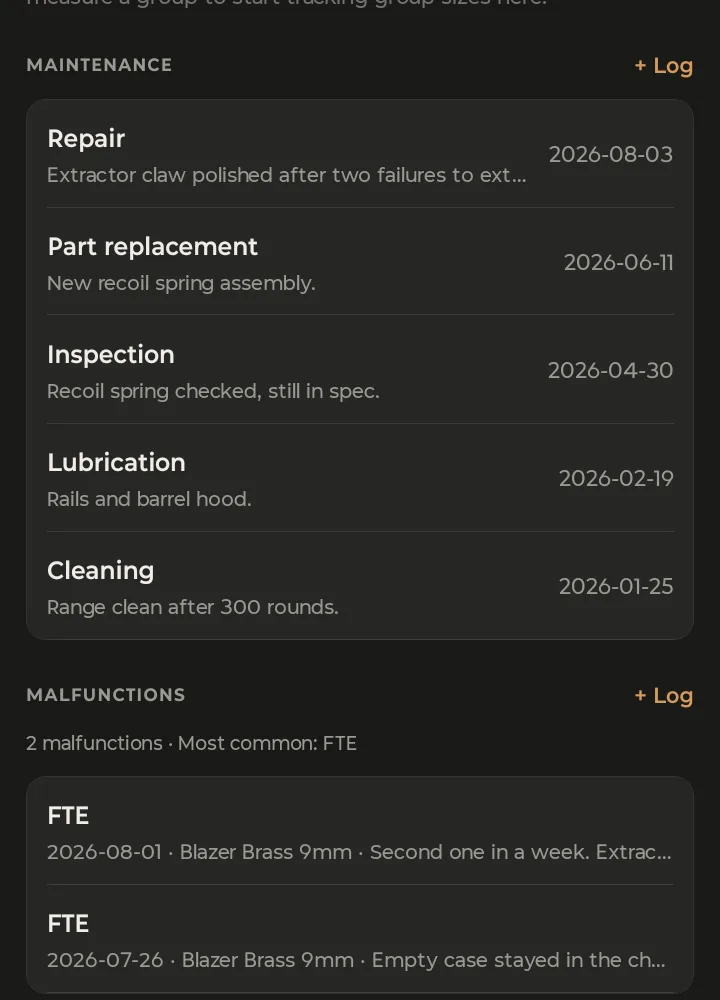
Read the two lists together and you have the whole story: two failures to extract with Blazer Brass a week apart, then on Aug 3 a Repair to polish the extractor claw.
Logged something by mistake? Swipe a record to delete it. Deleting a cleaning doesn't put the rounds back: as the app warns, "The rounds-since-cleaning counter is not restored."
4. Log a malfunction
On the firearm screen, tap + Log under Malfunctions. Tap the type, check the date, add notes, and tap Log malfunction.
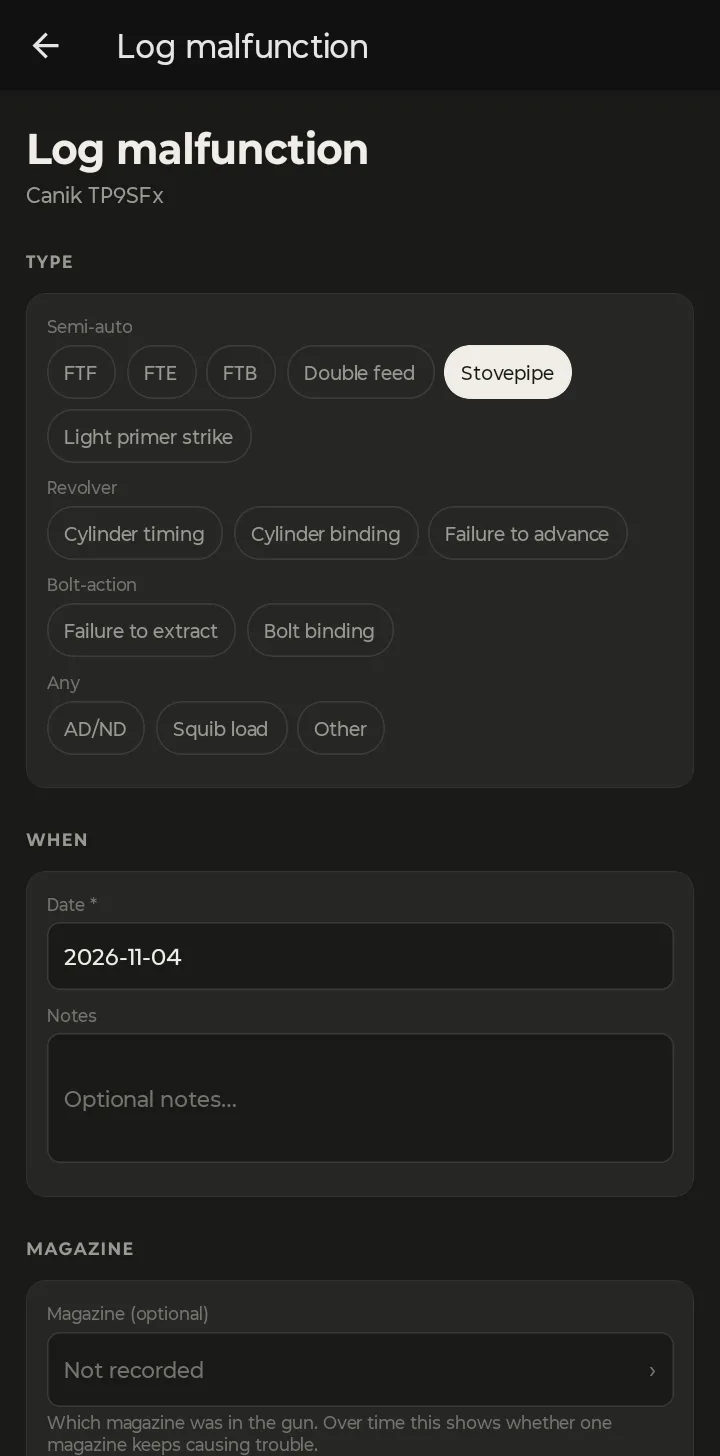
The types are grouped by action:
- Semi-auto: FTF, FTE, FTB, Double feed, Stovepipe, Light primer strike
- Revolver: Cylinder timing, Cylinder binding, Failure to advance
- Bolt-action: Failure to extract, Bolt binding
- Any: AD/ND, Squib load, Other
Magazine (optional) is worth the extra tap if you know which one was in the gun. In the app's words: "Which magazine was in the gun. Over time this shows whether one magazine keeps causing trouble." Leave it on Not recorded if you're not sure.
The firearm's Malfunctions section sums it up: how many, and the most common type.
Log it from the range trip
The best time to log a stoppage is right after you clear it. If you started a trip plan on your phone, tap Log malfunction under the gun on the at-range screen. It fills in the trip, and the ammo lot if the plan has one for that gun, so you don't have to. This is the only place in the app where a malfunction gets linked to its ammo.
5. No signal at the range
Indoor ranges and back-forty berms rarely have a signal. You don't need one. Maintenance records and malfunctions you log with no connection are saved on the phone and sync to your account when you're back online, where they show up in the web app too.
At your desk? The Service page in the web app shows your whole collection's maintenance at once, and each firearm has its own Maintenance and Malfunctions tabs. Track Gun Cleaning, Maintenance and Malfunctions walks through it on a bigger screen.