1. Add the rifle
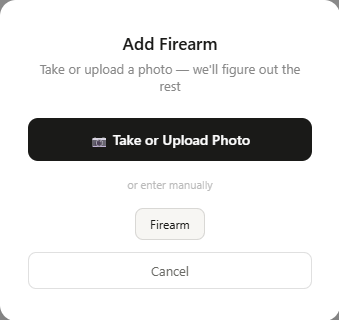
From Collection, click + Add firearm and choose Take or Upload Photo. We're building this card for a 6.5 Creedmoor bolt-action, so that's the photo we uploaded:
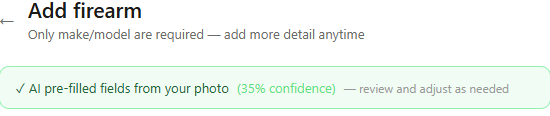
The AI reads what it can from the photo and pre-fills the form. Confidence varies with photo quality and angle — here it came back at 35%, which is a normal result for a rifle photographed at a slight angle with no visible markings:
Everything below the banner is a normal editable form. We filled in Ruger / Precision Rifle / Gen 3, set Firearm type to Rifle, Action type to Bolt action, Caliber to 6.5 Creedmoor, and cleaned up the barrel length, twist rate, and chassis details to match. Click Add to collection and you land on the finished detail page:
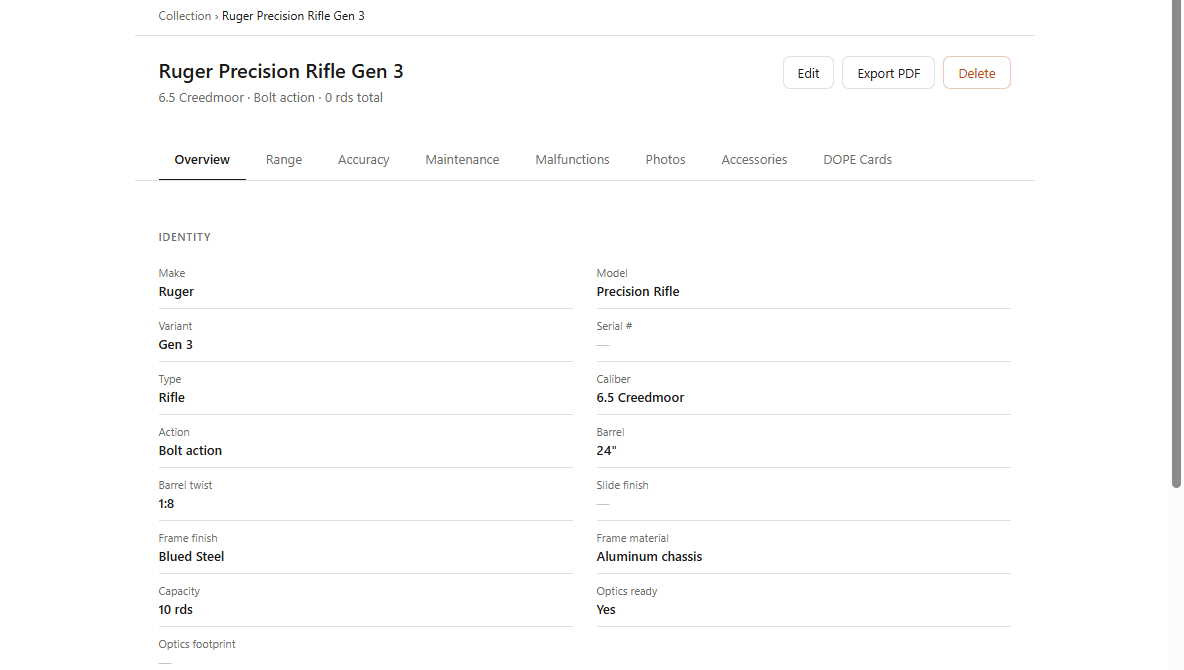
Barrel length and twist rate matter here for reasons beyond bookkeeping — they're two of the inputs GunCollector's ballistics engine uses later, so getting them right on the firearm record saves you from re-entering them on every card.
2. Add the ammo — and pull real ballistics
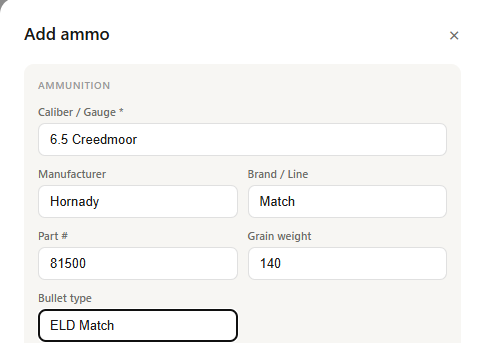
A DOPE card is only as good as the ballistic data behind it. From the Ammo page, click + Add ammo and enter the load. We used Hornady's 6.5 Creedmoor 140gr ELD Match, part number 81500:
Open the ammo lot and click Find Specs. Hornady is one of the manufacturers GunCollector fetches directly from, so muzzle velocity, energy, ballistic coefficient, sectional density, and a full drop table come back in a few seconds — review the checkboxes and save:
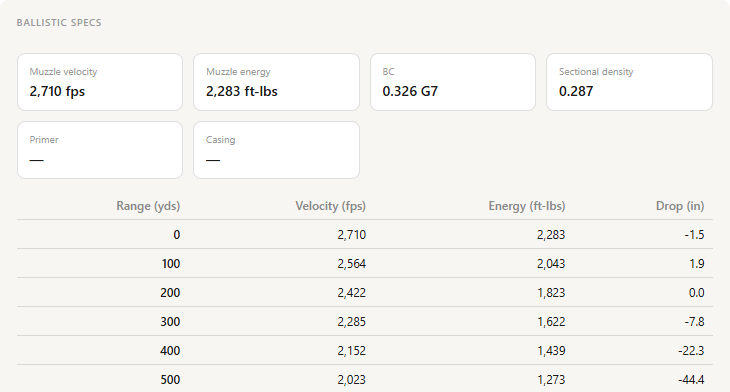
That G7 BC of 0.326 is doing a lot of work here. It's what separates a DOPE card that's actually accurate at 600–1000 yards from one that's just a rough guess extrapolated from a G1 number on the box.
3. Start a DOPE card
Open the rifle's detail page and click the DOPE Cards tab, then Create First Card. The wizard walks through five steps — Identity, Optic, Ballistics, Environment, and Review:
On the Identity step, name the card, choose your display unit (MOA or MRAD), and set the zero distance — we used a 100-yard zero. On Optic, enter your scope height over bore if you haven't linked an optic from Accessories yet; 1.4–2.0 inches is the typical range for a scope on rings.
4. Link the ammo and let GunCollector fill in the ballistics
This is the step that saves the most time. Instead of retyping bullet weight, BC, and velocity, just pick the ammo lot from the dropdown:
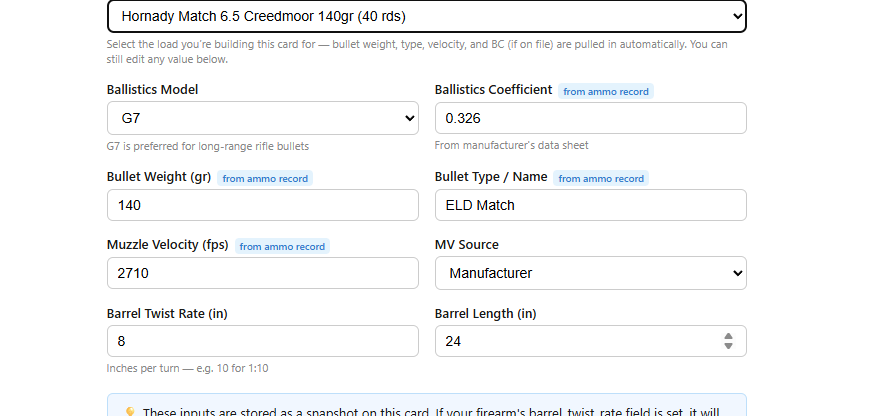
Barrel twist rate and length are pulled from the rifle itself. Every value here is still editable — this is a starting point, not a lock — so if you're running a different lot with a chronograph'd velocity, you can override the manufacturer number.
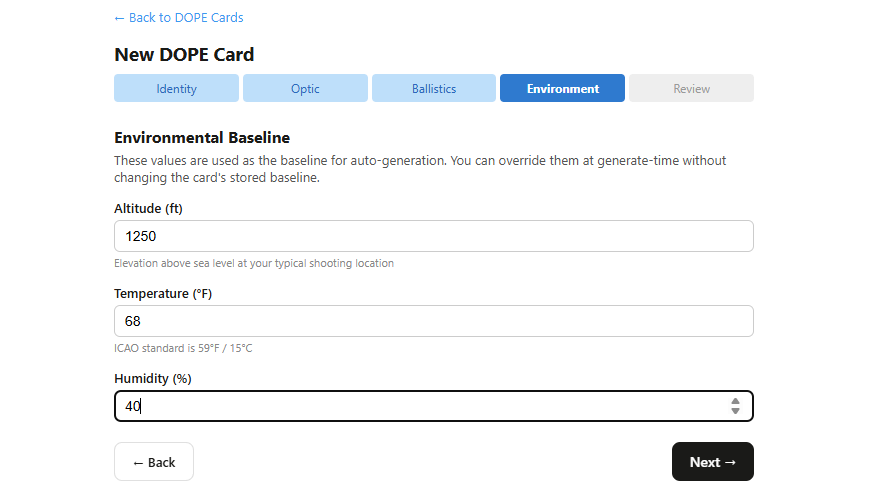
On the Environment step, set the altitude, temperature, and humidity for where you actually shoot. These become the card's baseline; you can override them at generate-time later without changing what's stored:
5. Generate the table
Click Create Card and you land on the card with an empty row table and a summary bar showing every input you just set:
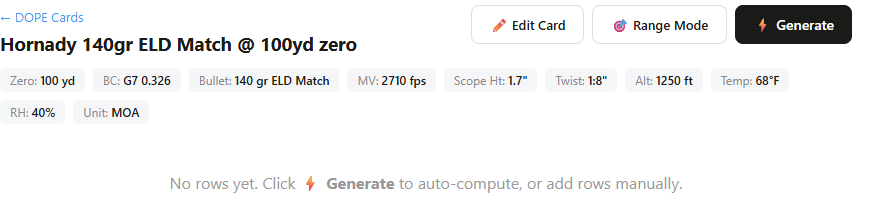
Click Generate and GunCollector's ballistics engine computes velocity, energy, drop, time of flight, elevation correction, and wind hold at every distance:
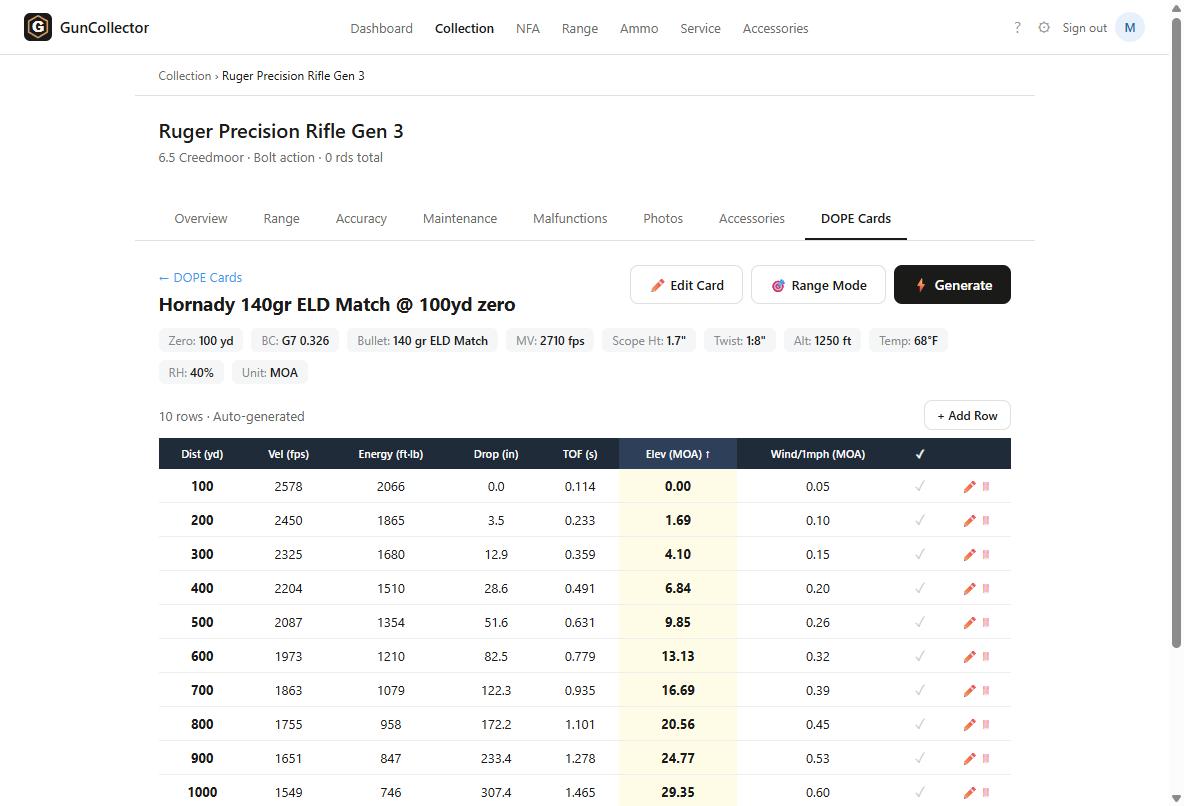
At 500 yards this load needs 9.85 MOA of elevation and 0.26 MOA per mph of wind. At 1000, it's 29.35 MOA and 0.60 MOA per mph — numbers you'd otherwise be pulling from a separate ballistics app and copying by hand. Every row is individually editable if you true the card against real impacts at the range, and clicking Generate again rebuilds the whole table from scratch if your inputs change.
Why this matters
The failure mode with DOPE cards isn't usually bad math — it's stale data. A card built once in a ballistics app and printed out doesn't know when you switch ammo lots or when your barrel picks up a few more rounds. Because this card is generated from the same rifle and ammo records you're already tracking, updating your load or your environment and hitting Generate again takes seconds, not a re-do from scratch.