Screenshots are from the iPhone app. The Android app has the same screens and steps.
The shot timer is in beta. It's tuned on real range recordings, and we're still improving it for loud, busy lines and suppressed guns. When it gets a string wrong, Fix shots puts it right and lets you send us that recording so it learns. Recordings stay on your phone unless you send one.
1. Open the timer and pick the firearm
Open More, then under Range tools tap Shot timer. The first time, the phone asks to use the microphone; the timer needs it to hear the beep and your shots.
Tap Change next to Firearm and pick the gun you're shooting from your collection. It matters later: when you add the string to a range trip, the timer knows which gun's round count to offer.
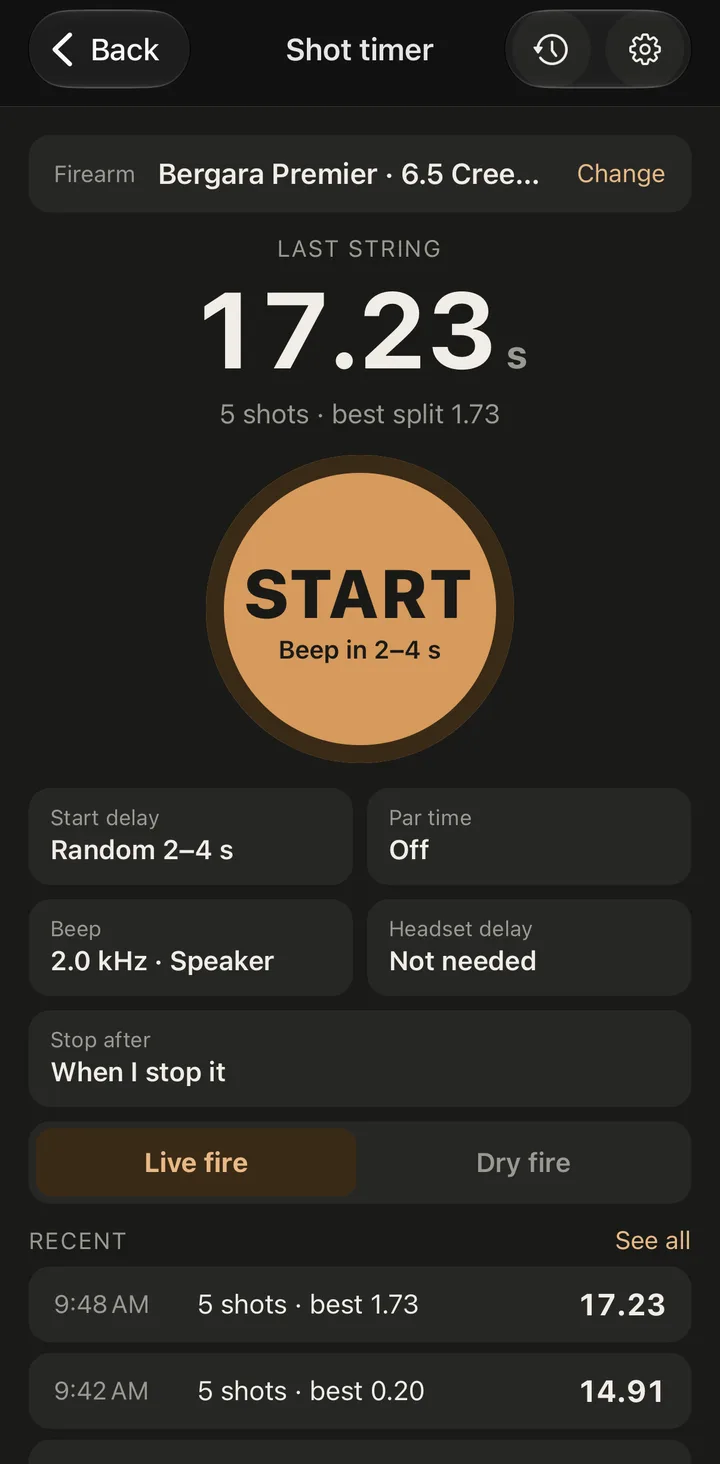
2. Set the start, par and stop
- Start delay: a random 2–4 s or 5–8 s wait after you tap START (the longer one gives you time to set the phone down and take a grip), a fixed delay, or instant (1 s).
- Par time: a second beep when time is up, and a bar that turns red past it.
- Stop after: end the string by itself 1.5 s after shot N, or only when you stop it.
- Live fire / Dry fire: dry fire listens for the click instead of a shot.
3. Shoot the string
Tap START. Wait for the beep, then shoot. The clock runs from the beep, and each shot shows up with its time and split as you fire. Put the phone in a shirt pocket, on an armband, or on the bench. To stop, hold the stop button for a moment; a tap won't end it by accident.
Wearing electronic hearing protection?
Connect your Bluetooth muffs to the phone and the beep plays in your ears. Bluetooth adds a delay, usually 0.1–0.25 s, which would make every first shot look slow. Tap the Headset delay tile once, hold one ear cup against the bottom of the phone, and the timer measures that delay and takes it out of your times from then on. It remembers each headset.
4. Read your times
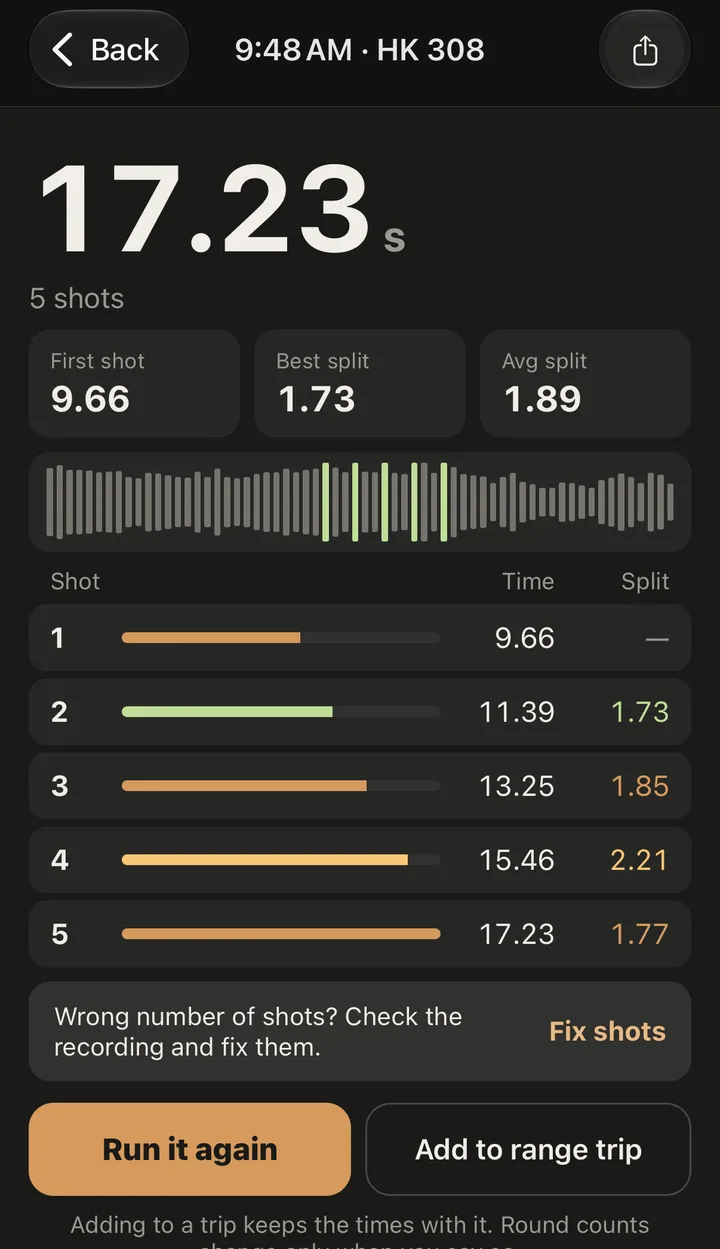
When the string ends, the results show your total time, first shot, best and average split, and a table of every shot. The slowest split is amber and the fastest is green, and if you set a par you see how far under or over you were.
5. Fix a shot it got wrong
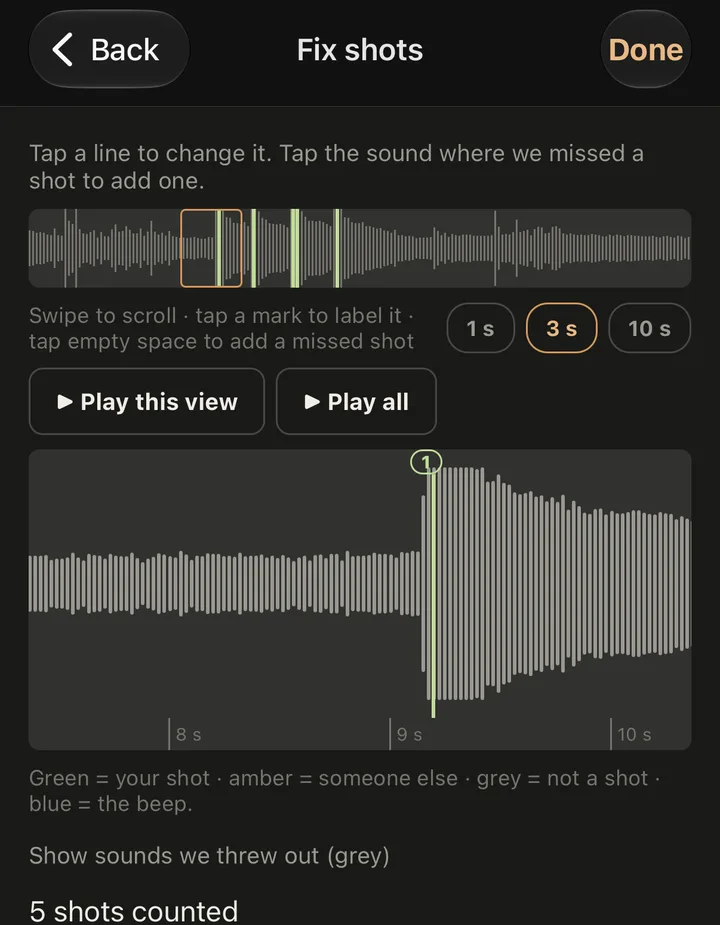
Missed shot? Counted the shooter next to you? Tap Fix shots. You get the recording, with a green line for every shot it counted.
- Tap a line to mark it My shot, Someone else or Not a shot.
- Tap the sound where it missed a shot, then Add a shot here.
- Play lets you listen to check.
Your times update as you go. Afterwards the app offers to send that string so we can teach the timer what it got wrong. It's always your choice: it shows exactly what's sent, we keep it 30 days, and you can delete it any time from Timer settings.
6. Add the string to your range trip
Tap Add to range trip and pick the trip (today's, or any from the last two weeks). The times are kept with the trip and show on it, on your phone and on the web.
A string never changes your round counts by itself. If the trip doesn't list that firearm yet, the app asks whether to add it with the shots it timed. If it timed more shots than the trip says, it asks whether to raise the count. Say no and nothing changes. Dry-fire strings never ask.
Where's my history? The clock icon at the top of the timer shows every string by day, filtered by firearm, with your best time and best split. Share all exports them.
Not counting your shots? In Timer settings, raise Sensitivity for quiet guns, or lower it on a loud, busy line.