Most reloaders keep this in a spiral notebook and a spreadsheet that never quite agree. Which lot of H4350 went into which batch? How many firings are on this brass? What did those 240 rounds actually cost? GunCollector keeps it together and does the arithmetic. Everything in this guide is from a real account: a 6.5 Creedmoor match load for a Tikka T3x.
GunCollector is a notebook, not a load manual. It never suggests, fills in or calculates a powder charge. Every charge weight in it is one you typed, from a published source you name. Always work from current published load data and follow its safety instructions.
The first time you open Reloading, the page says the same thing, and asks you to confirm before you start.
1. The Bench
Click Reloading in the top menu. The Bench shows what's on the shelf, what you can load from it, your recipes and your recent batches.
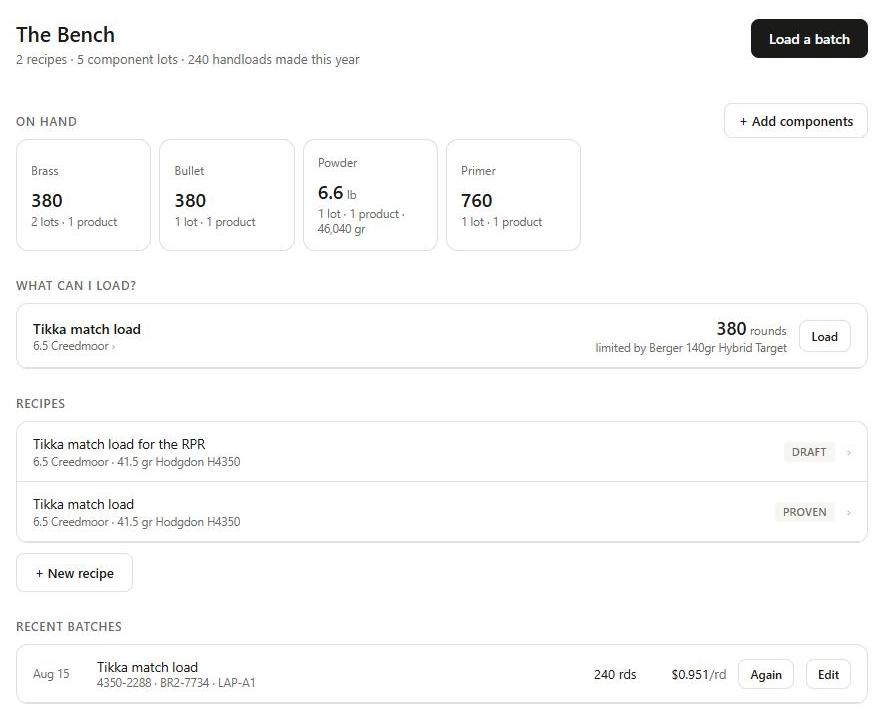
What can I load? answers the question you'd otherwise work out on a calculator: for each recipe you're testing or have proven, how many rounds your components on hand will make, and which component runs out first. Here it's the bullets: 380 Bergers left, so 380 rounds, even though there's powder for over a thousand.
2. Add your components
Click + Add components to open your components, sorted into Powder, Primers, Bullets and Brass. Each product (say, Hodgdon H4350) holds the lots you bought: each jug or box, with its own lot number, price and amount left. Click + Add a lot to add one.
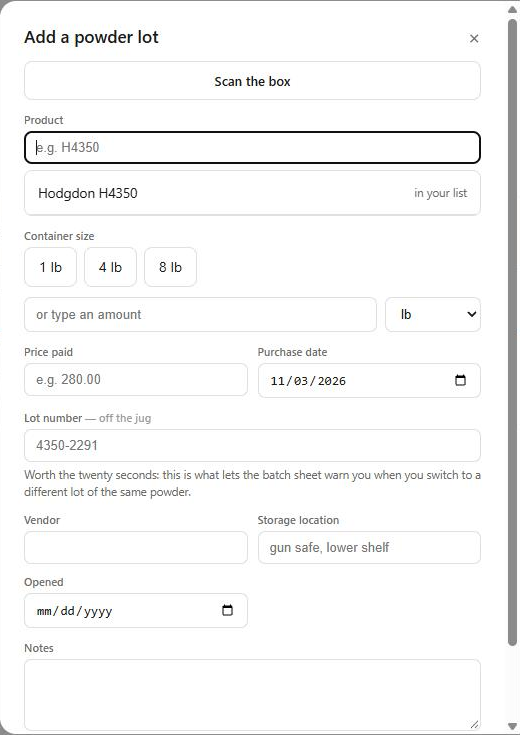
- Scan the box. Upload a photo of the jug, the box or its barcode, and the form fills in: the product (matched to the ones you already have, so you don't get duplicates), the lot number, the quantity and the price from a sticker. Check it and save. A scan never reads or saves any load data printed on the package.
- Powder in any unit. Click 1, 4 or 8 lb, or type an amount in pounds, ounces, grains, grams or kilograms. It's all kept in grains, so the arithmetic is always exact.
- The lot number is worth twenty seconds. Burn rate varies from one powder lot to the next. With the lot number recorded, GunCollector warns you when you load a recipe with a different lot from last time.
Each lot shows what's left, what it cost and, for powder, roughly how many rounds that is at your recipe's charge:
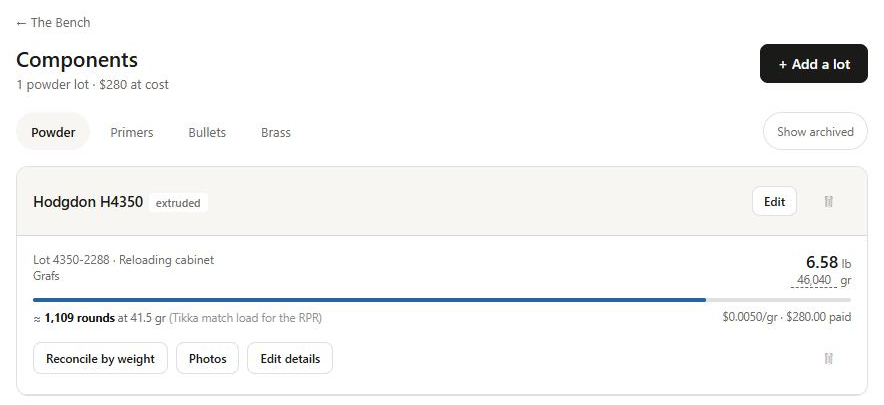
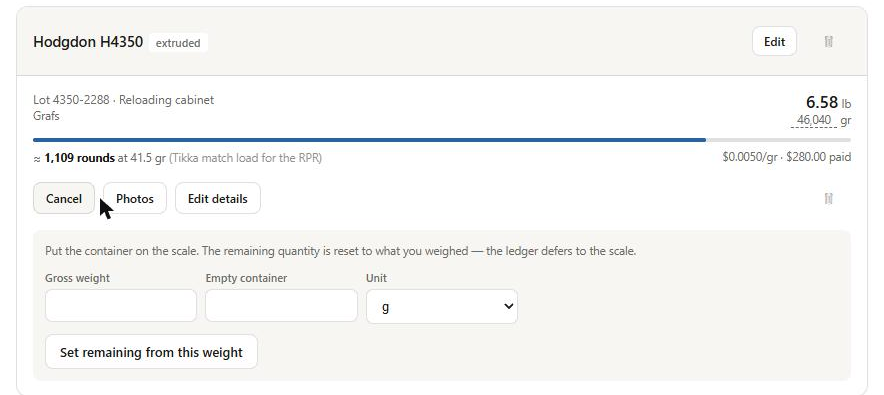
Counts drift. For powder, Reconcile by weight puts the scale in charge: weigh the jug, enter the gross weight and the empty container weight, and the grains left are set from that. For everything else, Correct count sets the number you counted.
3. Record a recipe from your manual
On the Bench, click + New recipe. Name it, set the cartridge and pick the powder, bullet, primer and brass from your components. Then type the charge weight from the manual in front of you. The field is never filled in for you.
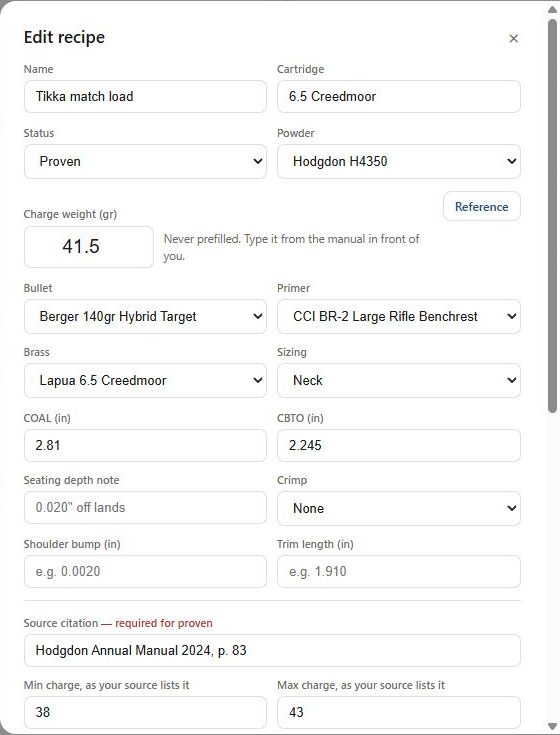
Add the dimensions (COAL, CBTO, seating depth, sizing, crimp, shoulder bump and trim length) and the Source: where the load came from, and the minimum and maximum charge exactly as that source lists them. A recipe can stay a Draft without a source, but it can't move to Testing or Proven until it has one. If you later enter a charge outside the range you recorded, the recipe flags it. Pick the guns it's for under Used in, and mark the one you developed it in.
The recipe page has everything at a glance:
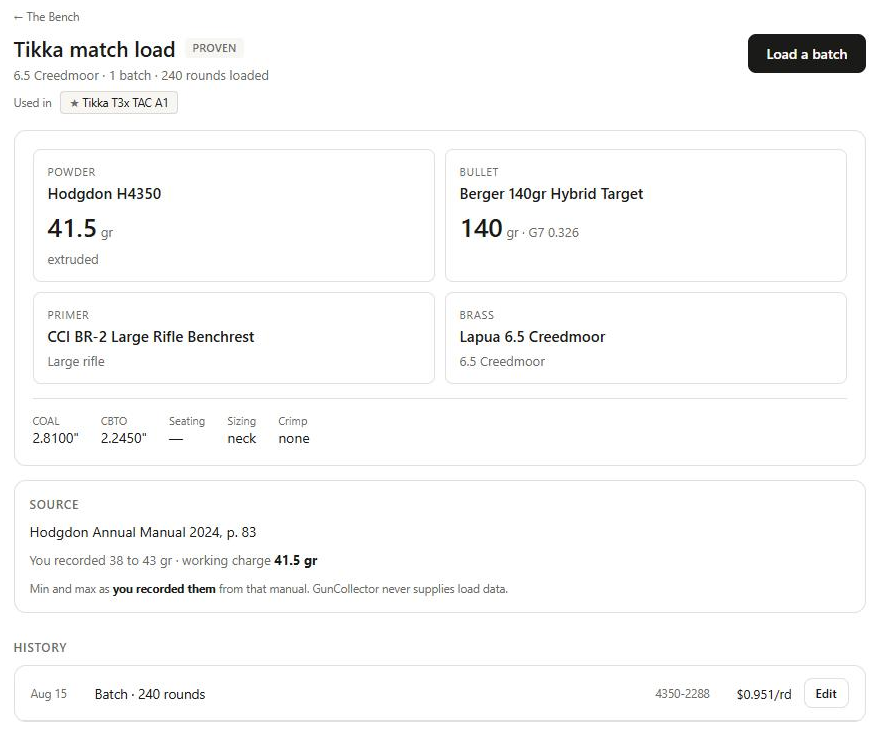
Below the history, Performance fills in from your own shooting: when you measure a target group or import a chronograph session with these handloads, the recipe shows its best group, average velocity and SD, kept separately for each gun. Duplicate makes a draft copy, so you can record a variation without touching the original.
4. Log a batch
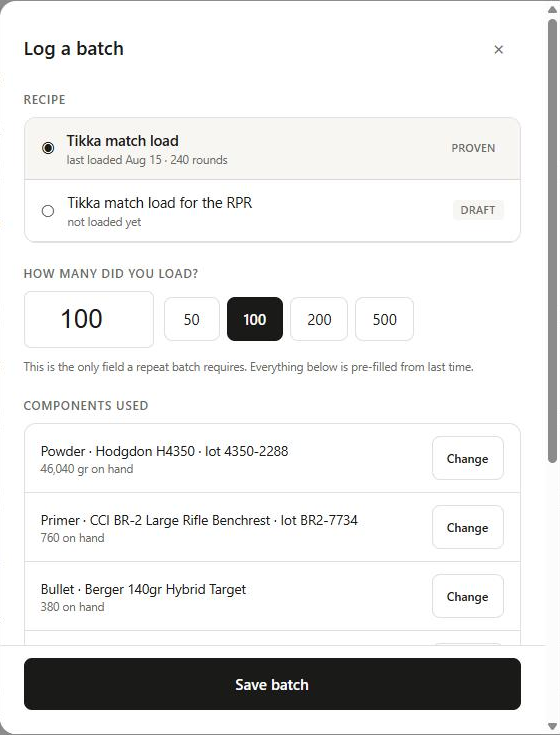
Click Load a batch on the Bench or on a recipe, or Again on a recent batch. Pick the recipe and enter how many rounds you loaded. For a repeat batch that's all it needs: the lots are already picked from what you used last time, and Change swaps one.
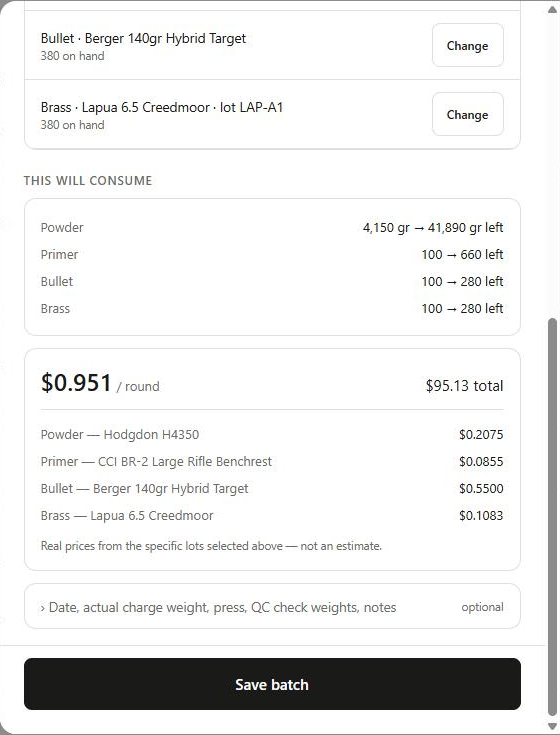
Before you save, This will consume shows what comes off each lot and what's left. Click the cost to see where it comes from: real prices from the lots you picked, not an estimate. For this load it's $0.21 of powder, $0.09 for the primer, $0.55 for the bullet and $0.11 for the brass, because a $0.65 Lapua case is spread over the six firings you expect from it. The optional section takes the date, the charge your scale actually read, the press, QC check weights and notes.
Click Save batch and three things happen:
- The powder, primers, bullets and brass come off their lots.
- The rounds go into your Ammo as a lot marked Handload. From there they work like any other ammo: a range trip takes rounds off it, and you can pick it for a DOPE card or a chronograph session.
- The batch goes into the recipe's history, with the lot numbers it used.
A different powder lot gets a warning, not a block. If the jug you picked isn't the lot you used last time for this recipe, the batch dialog says so: burn rate varies between lots, so reduce and work back up. And if your counts say you're short, you can save anyway and correct the counts later. The batch record matters more than a running total.
Made a mistake? Click Edit on the batch. Changing the count re-does it: the components go back, come out again at the new number, and the ammo lot is rewritten to match.
5. Keep count of your brass
Brass is the hard part to keep straight on paper, because one box of cases splits up as you load and shoot it. GunCollector tracks it by firing count. When you load a batch, the cases you used move out of the lot. When you get back from the range, click Return brass: they come back with one more firing and join any other cases of that lot with the same count.
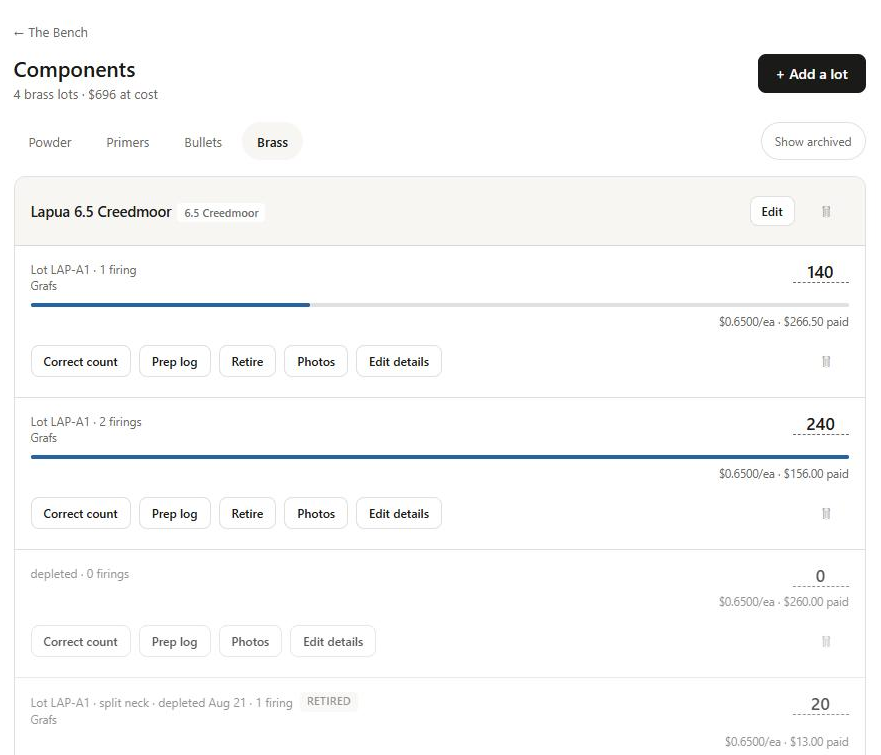
Each brass lot has the rest of its history:
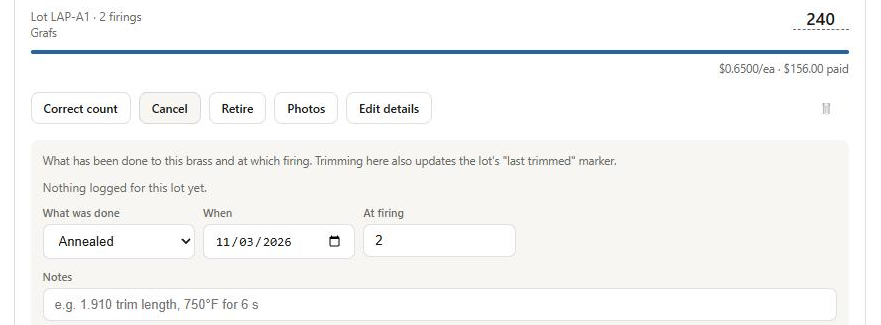
- Prep log: record annealing, trimming, full prep, sorting or primer pocket uniforming, and at which firing. Logging a trim updates the lot's "last trimmed" marker.
- Retire: take cases out of service with the reason: loose primer pocket, case head separation, split neck, lost or culled. Retired cases stay on record so you can see how a lot held up.
- Expected firings (in Edit details): how many loadings you expect from these cases. It sets the brass share of the cost per round.
At the press with your phone? The same Bench is in the GunCollector app for iPhone and Android, under More → Reloading. Track Your Reloading on Your Phone shows it.