1. Add the ammo
From the Ammo page, click + Add ammo. Like firearms, you can add ammo from a photo of the box, or enter it manually — we'll walk through manual entry since it shows every field clearly:
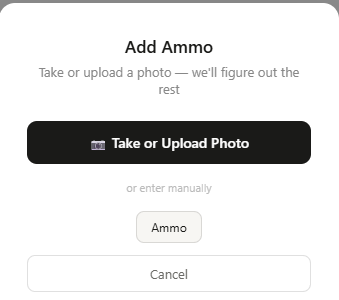
Fill in what's on the box:
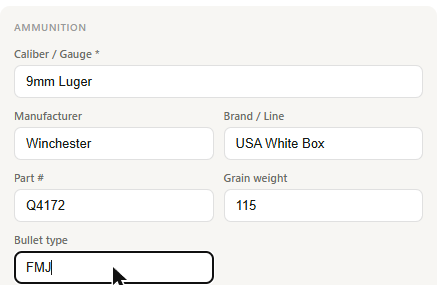
The fields that matter most for the ballistics lookup are Manufacturer and Part # — GunCollector uses these to find the exact product. Round out the rest with quantity, price per round, and where you're storing it, then click Add to inventory.
2. Open the ammo detail page
Click into the ammo lot you just added. Below the quantity and pricing sections, you'll find a Ballistic Specs card — empty at first, with four ways to fill it in:
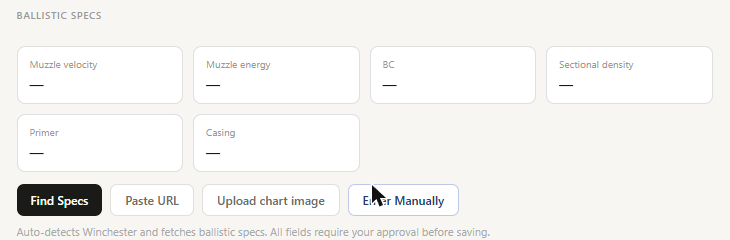
- Find Specs — auto-detects the manufacturer and fetches specs directly from their site
- Paste URL — if you have a link to the exact product page
- Upload chart image — for a printed ballistics chart or box insert
- Enter Manually — for anything not covered by the above
3. Click “Find Specs”
For any manufacturer GunCollector recognizes — Winchester and Hornady both have direct catalog lookups — this is a one-click fetch. It reads your Manufacturer and Part # fields, matches the exact product, and pulls back real spec data:
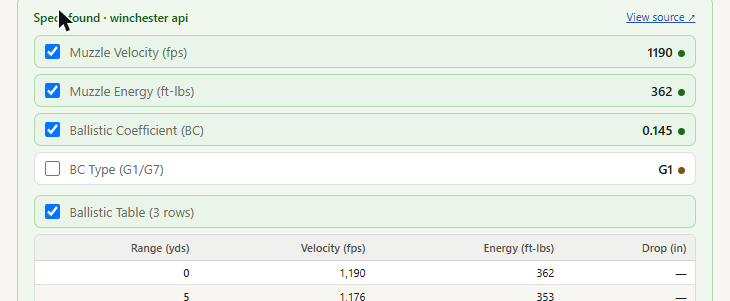
Every field comes in with a checkbox and a View source link — nothing saves automatically. This is a review step, not a blind import: uncheck anything you don't want, or leave it all checked if it looks right.
4. Save the fields you want
Click Save 4 field(s) (the count updates based on what's checked), and the data writes straight into that ammo lot's detail page:
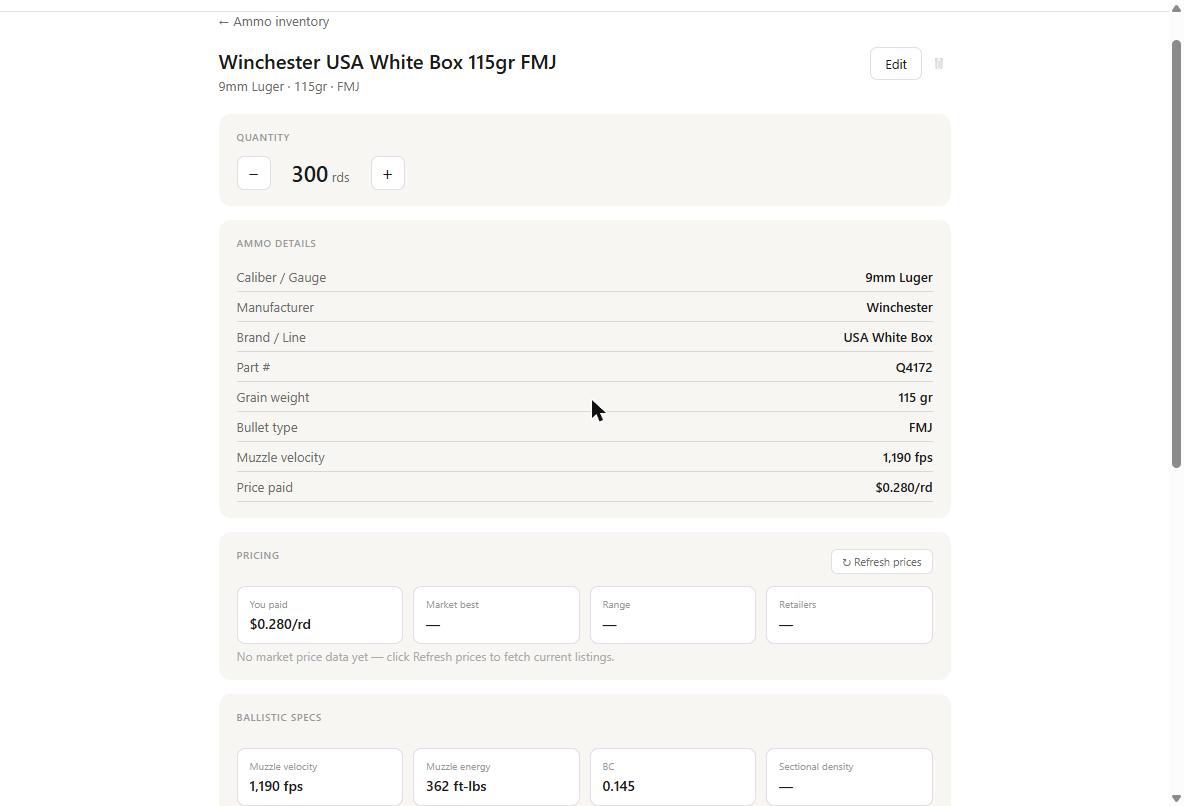
That's real manufacturer ballistic data — muzzle velocity, energy, and ballistic coefficient — attached to the exact lot of ammo sitting in your safe, with zero manual lookup.
Why this matters
Ballistic coefficient and muzzle velocity are the two numbers everything else depends on — your come-ups, your DOPE cards, your zero at distance. Most people either skip tracking them entirely or copy them once from a box and never update them if they switch lots. Having GunCollector pull it straight from the source means the number attached to your ammo is the number the manufacturer actually publishes, tied to the specific product you're shooting.